Cette page fournit une simple interface de navigation pour trouver des entités décrites par une propriété et une valeur nommée. D’autres interfaces de recherche disponibles comprennent la page recherche de propriété, et le constructeur de requêtes ask.
Liste de résultats
- A2001 - Light Curtain Timer + (This step by step guide will explain how to wire a timer relay into the light curtain and estop circuit on the A2001 Autoflow.)
- Dokit - Editing Work Instructions + (This tutorial shows you how to edit the co … This tutorial shows you how to edit the content of a work instruction, allowing you to
*Add New Steps
*Add numbering and bullets to the text
*Add and crop Photos
*Annotate photos with arrows, numbers and text
*Change step sequence and insert steps
*Add Call-outs and warnings
*Add Links to other websites or other Dokit pages
=Warnings=
a fa-exclamation-triangle"></i></div> <div class="icon-instructions-text">...Do not publish anything inflammatory, offensive or illegal</div> </div><br/>) - Safety Circuit Principles + (Moved to Confluence 13/12/2025 [https://stuga-ltd.atlassian.net/wiki/spaces/~5570585b7bb5d1bc31430e886883cbc774c182/pages/86442039/Safety+Circuit+Principles Safety Circuit Principles])
- ZX5 Transfer Table Crank set up + (15/12/2025 Moved to Confluence Click [https://stuga-ltd.atlassian.net/wiki/external/OTE4MTgyN2RlYjQ2NGRlYTgyZjRhMDc5ZmIyY2MyMTg here])
- B0000082b Motor replacement For Obsolete part B0000082 + (To rectify the obsoletion of B0000082 driv … To rectify the obsoletion of B0000082 drive motor, the following replacement kit has been designed to enable continued support of older assemblies within stuga machines . The kit consists of a new motor and appropriate gearbox, adapter plate and new fasteners . Also details are included here for a small modification to enable the upgrade to function correctly Following parts are required for this upgrade B0000082b load motor and gearbox 1 off D0008225b adapter plate F0000189 M6 x 25 set bolts 4 off F0000058 A form washer 4 off F0000190 M8 x 40 set bolts 2 off F0000007 M5 x 16 cap head bolt 4 off off F0000007 M5 x 16 cap head bolt 4 off)
- R0010309 Ecoline Ultrasonic Material Loaded Upgrade + (Upgrade of load sensor For infeed table on … Upgrade of load sensor For infeed table on Ecoline machines
'''Component list'''
A0001046 P Clip 6mm Steel / Rubber Liner x 2
D0010973 Material Loaded Sensor Plate x 1
E0001104 PreMade Cable: M8 Socket 4 Way Cable 5m x 1
E0001120 Sensor: Ultrasonic M8 20-150mm x 1
M0001053 Copper Tube 6mm x 4.4mm 10m Coil x 0.3
P0000046 Fitting: 'Y' Adaptor 6mm x 1
P0000069 Tube to tube fitting 6mm x 1
P0000160 Fitting: Flow Controller In Line 6mm x 1
000160 Fitting: Flow Controller In Line 6mm x 1 <br/>) - Upgrade Autoflow to Windows 11 + ('''Update 2024''' - Upgrades now consist o … '''Update 2024''' - Upgrades now consist of a new Windows 11 PC with VM for the front end and a C6017 PC for the back end.
Upgrading an Autoflow to Windows 11 involves upgrading two PCS
#The Beckhoff control PC - replaced with a C0001225-KIT
#The Camera PC - replaced with a C0000422-KIT with a VM setup. this now becomes the front end PC
===For Historical reference, these are the pre-2024 notes: === ''Upgrading an Autoflow to Windows 10 on site involves upgrading two PCS'' #''The Beckhoff control PC'' #''The Camera PC'' ''
'' The Beckhoff PC is not upgradable so needs to be completely replaced. We use the miniature [https://www.beckhoff.com/english.asp?industrial_pc/c6017.htm Beckhoff C6017] for this ''It is not cost effective to upgrade and old camera PC, so a new one is supplied'' ===''Notes''=== *''The Beckhoff PC is now powerful enough to run the front end and back end.'' *''The camera PC is there to replace the camera PC on site and contains the storage for the machine cameras'' *''Because the Beckhoff PC has limited hard drive space, the DDRIVE will be on the cameraPC''hard drive space, the DDRIVE will be on the cameraPC'') - TwinCat Connection Faults + (We are quite often faced with multiple Axi … We are quite often faced with multiple Axis/Door Open/ Estop faults all being reported at the same time. More often than not this is caused by a bad connection on the TwinCat system somewhere. If there is any dropout of connection at any point in the system it will result in this error. You could spend some time crawling about on your hands and knees, opening electrical cabinets and trying to find the fault manualy, but by using TwinCat we can save some time and effort, and pinpoint the cause almost immediately.and pinpoint the cause almost immediately.)
- Filling Out An Online Daily Timesheet Form + (We are using Monday.com to handle daily ti … We are using Monday.com to handle daily timesheet entries. The layout of the form has been designed to make data input as minimal as possible. We are looking to improve accuracy of time capture, cut down administration time and to make historical data available without the need to store paperwork or take pictures. You will only be able to view and edit your timesheet when logged into your Monday.com account. Other employees are unable to see your data.her employees are unable to see your data.)
- Ecoline - Datum and MitreOffset Tests + (When an Ecoline is commissioned, the posit … When an Ecoline is commissioned, the positional accuracy needs to be set up.
These are also useful tests to check if the machine is maintaining positional accuracy
tent, repeatable results before making any parameter changes</div> </div><br/>) - PLC Source Control - Git Credential Manager for Windows Install + (When connecting to the tc3Multi repository … When connecting to the tc3Multi repository on BitBucket.org, some times the validation credentials are not accepted. Check that the password you have is correct, if the problem persists , install or update Git Credential manager for windows to the latest version.manager for windows to the latest version.)
- R0000299 Stroke assembly rebuild + ( The following instructions should be fol … The following instructions should be followed to ensure that correct assembly and setting are performed '''Tools / consumables Required''' Standard hex key set Standard spanner set Large adjustable spanner Drifts and punches Ballpein hammer Soft hammer FE10 Solvent Hylomar Gasket '''Parts Required''' Kit R0000299 containing B0000043 Double Angular bearing 15 I?D 35 O?D 15.9 long rubber seal 3 x 2 B0000105 Double Angular Bearing 15 I/D 35 O/D 15.9 Long x 1 B0000335 3ph Brake motor 2 pole 3000rpm x 1 B0000380 Double Angular Bearing 25 I/D 52 O/D 20.6 Long + rubber seal x 2 D0000059 Damper Bridge x 1 D0000062 Damper Bridge Boss x 2 D0007730 ZX4 V Notch Mk1 Spindle Shaft x1 D0007867 Bevel Gear (Left) x 1 D0007868 Bevel Gear (Right ) x 1 D0007873 Motor Gear x 1 D0007874 Pinion Gear x 1 D0007875 Pinion Shaft x 1 P0000165 damper x 174 Pinion Gear x 1 D0007875 Pinion Shaft x 1 P0000165 damper x 1)
- ZX5 Alignment Check + (The ZX5 machine can be tricky to align as there are many adjustments designed into the table to offset manufacturing tolerances. This step by step guide follows the correct protocol to ensure the starting point and sequence of alignment is correct)
- Upgrading Autoflow TwinCAT2 to Win10 and TwinCAT3 + (<div class="annotatedImageDiv" typeof=" … Autoflows from A2001 to A2015 were initially produced with TwinCAT2 software. This has now been superseded with TwinCAT3 which then has the benefit of compatibility with version 6 front end software.
The original PC cannot be used because
*It is not powerful enough to run v6 front end
*The operating system cannot be upgraded to Windows 10
*It cannot be upgraded to TwinCAT3
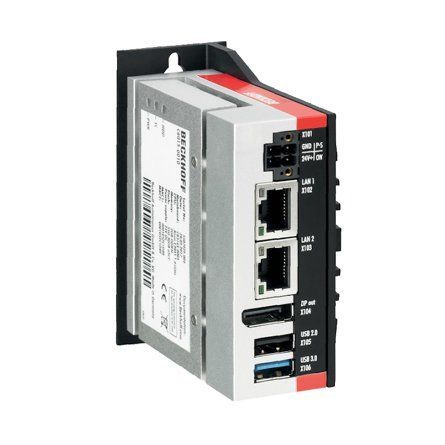
The Beckhoff C6015 PC has been chosen to be the replacement PC. It is compact, yet powerful enough to run the v6 front end and TwinCAT in the same
. It has an upgrade to 1.9Ghz 4 core processor.
Because it has a limited 40Gb SSD memory, a compact 64Gb memory stick is inserted into the USB 3.0 port. This acts as a separate drive for the DDRIVE dynamic storage for all machine setup. The internat drive is for the Operating System only. This mimics the current Autoflow setup of a remote Camera PC, hence the camera PC can be retired after the upgrade
era PC, hence the camera PC can be retired after the upgrade<br/>) - Autoflow Maintenance - Gripper + (<nowiki>The following preventative m …
The following preventative maintenance tasks should be carried out regularly on the machine. The frequency depends on the machine use, but as a guide: i-Weekly<br />20 Hrs/Week Monthly</pre></div></nowiki>)2-3 Shifts Weekly
40 Hrs/Week Bi-Weekly
20 Hrs/Week Monthly - Autoflow Maintenance - Infeed + (<nowiki>The following preventative m …
The following preventative maintenance tasks should be carried out regularly on the machine. The frequency depends on the machine use, but as a guide: kly<br />20 Hrs/Week Monthly</pre></div><br/></nowiki>)2-3 Shifts Weekly
40 Hrs/Week Bi-Weekly
20 Hrs/Week Monthly - R0000558E Bench Assemble Base and Turntable Part 2 + ('''<u>Tools Required</u>''' … '''Tools Required''' Standard hex key set Standard spanner set Heat gun Large Internal Circlip pliers Standard circlip pliers 8mm hand reamer Grease gun Torque wrench '''Parts Required''' B0000028 Thrust Bearing 140 I/D 180 O/D 31 Long (FAG) x 1 B0000032 Linear Bearing: Ø30 x 50 Compact (Metal Case Only) x 4 B0001087 Angular Contact Bearing 70 I/D 125 O/D 24 Long x 1 B0001088 Circlip 125mm Internal x 1 C0001122K Servo Motor: Beckhoff AM8032-1E10 (Keyed) x 1 C0001179-100 Gearbox NPTO 100-1 x 1 D0004019E Turntable Mk5 (5334E) x 1 D0004033E Alignment Disc Mk5 x 1 D0004147E Turntable Shaft Mk5 x 1 D0004320E Thrust Bearing Housing Mk5 x 1 D0004336 Stay Bar x 2 D0004514E Turntable Base Mk5 x 1 D0004516 Front Bearing Block (5294) x 2 D0010778 Turntable Stop Arm x 1 D0010796 Turntable Housing Cover x 1 H0004631 Shaft 30mm: Base Slide x 2 M0001176 M6 Stainless lock washer x 4 D0015663 SR Axis Motor Guard x 1176 M6 Stainless lock washer x 4 D0015663 SR Axis Motor Guard x 1)
- R0015095 Bench Assemble Infeed Support Arms + ('''<u>Tools Required</u>''' … '''Tools Required''' Standard hex key set Standard tap sete Setting jigs '''Parts required''' B0001170 Spacer 180 off B0001155 open rail 18 off D0015553 Transfer Support arm R/H (right to left machine ) OR D0015552 Transfer Support Arm L/H ( Left to Right machine) D0015554 x 18 M8 x 20 button hex fastener x 18 M5 x 25 socket cap x 180 M5 A form washer x 180ex fastener x 18 M5 x 25 socket cap x 180 M5 A form washer x 180)
- R0000712E Rotary Trunking + ('''<u>Tools Required</u>''' … '''Tools Required''' Standard set Hex keys Standard socket set Countersink bit and drill Copper/hide hammer Standard hss drill set '''Parts Required''' D0006210 pre assembled energy chain D0003929 Access panel D0003930 Circular guide D0003985 Upper circular guard D0007817 Circular guard D0001171 plug bracket P0001023 6mm y adapter x 9 P0000401 non return valveug bracket P0001023 6mm y adapter x 9 P0000401 non return valve)
- R0000558E Bench Assemble Base and Turntable + ('''<u>Tools Required</u>'''
… '''Tools Required'''
Standard hex key set
Standard spanner set
Heat gun
Large Internal Circlip pliers
Standard circlip pliers
8mm hand reamer
Grease gun
Torque wrench
'''Parts Required'''
B0000028 Thrust Bearing 140 I/D 180 O/D 31 Long (FAG) x 1
B0000032 Linear Bearing: Ø30 x 50 Compact (Metal Case Only) x 4
B0001087 Angular Contact Bearing 70 I/D 125 O/D 24 Long x 1
B0001088 Circlip 125mm Internal x 1
C0001122K Servo Motor: Beckhoff AM8032-1E10 (Keyed) x 1
C0001179-100 Gearbox NPTO 100-1 x 1
D0004019E Turntable Mk5 (5334E) x 1
D0004033E Alignment Disc Mk5 x 1
D0004147E Turntable Shaft Mk5 x 1
D0004320E Thrust Bearing Housing Mk5 x 1
D0004336 Stay Bar x 2
D0004514E Turntable Base Mk5 x 1
D0004516 Front Bearing Block (5294) x 2
D0010778 Turntable Stop Arm x 1
D0010796 Turntable Housing Cover x 1
H0004631 Shaft 30mm: Base Slide x 2
M0001176 M6 Stainless lock washer x 4
D0015663 SR Axis Motor Guard x 1
ainless lock washer x 4 D0015663 SR Axis Motor Guard x 1 <br/>) - R0015272 1st Stage fitting Saw Outfeed + ('''<u>Tools Required</u>'''
… '''Tools Required'''
Standard Hex key set
Standard HSS Drill Set
Standard spanner set
Standard Tap set
Standard 5mm straight hex key ( non ball point )
Hex key extension bar
'''Parts Required'''
D0004583 Outfeed Long Rest (5354) x 1
D0004584 Outfeed Side Rest x 4
D0005127 Outfeed Welded Frame (5356) x 1
H0005136 Outfeed Top Tray (5355) x 1
lded Frame (5356) x 1 H0005136 Outfeed Top Tray (5355) x 1 <br/>) - R0015037 Bench Assemble SY Assembly Part 2 + ('''<u>Tools Required</u>''' S … '''Tools Required''' Standard Hex Key set Standard Spanner set 1 Meter straight edge Feeler Gauges '''Parts Required''' B0000044 Linear Rail MSB25 260mm Long (AMT) x 2 B0000046 Slide Base Bearing Block (Straight Grease Nipple) x 4 B0000173 blanking cap x 10 B0000234 Straight Grease Nipple M6 ST/ST x 4 B0000245 Needle Bearing 12 D 16 D 10 Long (ENA) x 12 B0001060 Grease Fitting M6x0.75 to Ø4 x 4 B0001061 Grease fitting M6 x 1 to 4mm x 4 B0001123 Double angular contact bearing 6 I/D 17 O/D 9 long x 2 B0001185 Leadscrew nut Igus x 1 C0001005 Stepper Motor AS1050 x 1 D0005184 Guide Roller x 6 D0005186 Guide Pin Washer x 6 D0015172 Centralise Plate (with SY) x 1 D0015173 Saw SY Saddle Brace x 1 D0015174 Roller Fence (With SY) x 2 D0015175 Saw Saddle Carriage Block x 2 D0015176 Cylinder Mount Block x 2 D0015178 Z Block x 2 D0015207 Outer Bearing Housing x 1 D0015208 Leadscrew Bearing Block x 1 D0015209 Leadscrew Attachment Bracket x 1 D0015222 SY Grease Manifold x 2 D0015240 Collar Clamp: SY Axis ZX5 x 1 D0015316 Leadscrew Bearing Block Cover x 1 D0015415 Turret Pickup Arm ZX5 x 2 D0015416 Bracket: Turret Stop RH ZX5 x 1 D0015417 Bracket: Turret Stop LH ZX5 x 1 D0015698 Flag Block x 1 D0015777 Leadscrew SY x 1 D0016336 SY table blower x 1 E0000336 Sensor: M8; 2mm, PNP N/O, M8 conn x 1 H0005185 Shaft 12mm: 90.5 Saw Fence Roller Pin x 6 M0001209 Bracket m8 proximity sensor 90 degree x 1 P0000200 Elbow Adaptor 6mm - M5 x 7 P0001127 Guide cylinder 20 x 30 compact x 2 P0001157 Turret Stop: 6 Station Right Handed Somatec x 1 P0001158 Turret Stop: 6 Station Left Handed Somatec x 1matec x 1 P0001158 Turret Stop: 6 Station Left Handed Somatec x 1)
- R0015326 Bench Assemble Roller Backfences + ('''<u>Tools Required</u>'''
… '''Tools Required'''
Standard hex key set
1 meter straight edge
Feeler gauges
Bearing dolly for B0000245 Needle Bearing
'''Parts Required'''
B0000245 Needle Bearing 12 D 16 D 10 Long (ENA) x 20
D0005183 Roller Backfence (D7443) x 1
D0005184 Guide Roller x 10
D0005186 Guide Pin Washer x 10
D0007443 Roller Backfence OH (D5183) x 1
H0005185 Shaft 12mm: 90.5 Saw Fence Roller Pin x 10
3) x 1 H0005185 Shaft 12mm: 90.5 Saw Fence Roller Pin x 10 <br/>) - R0015357 Fit Guards + ('''<u>Tools Required</u>'''
… '''Tools Required'''
Standard hex key set
Standard HSS drill set
Standard tap set
Cutting disc
'''Parts Required'''
C0001275 Printer: ZD421 Direct Thermal (Not Incl. C0001276 P&P)
C0001276 Peel & Present for ZD421 Printer
D0016333 Bruehl Fence panel 1700 x 800 x 2
D0016334 Bruehl Fence panel 650 x 800 x 2
H0005178 Safety Table Extension x 1
M0000033 Frame End Cap 50 x 50 x 1
M0001207 Bruehl Fence Clip x 14
P0000069 Tube to tube fitting 6mm x 1
R0015290 Saw Outfeed Bench Assemble Top guard x 1
fitting 6mm x 1 R0015290 Saw Outfeed Bench Assemble Top guard x 1 <br/>) - R0015037 Bench Assemble SY Assembly + ('''<u>Tools Required</u>'''
… '''Tools Required'''
Standard Hex Key set
Standard Spanner set
1 Meter straight edge
Feeler Gauges
'''Parts Required'''
B0000044 Linear Rail MSB25 260mm Long (AMT) x 2
B0000046 Slide Base Bearing Block (Straight Grease Nipple) x 4
B0000173 blanking cap x 10
B0000234 Straight Grease Nipple M6 ST/ST x 4
B0000245 Needle Bearing 12 D 16 D 10 Long (ENA) x 12
B0001060 Grease Fitting M6x0.75 to Ø4 x 4
B0001061 Grease fitting M6 x 1 to 4mm x 4
B0001123 Double angular contact bearing 6 I/D 17 O/D 9 long x 2
B0001185 Leadscrew nut Igus x 1
C0001005 Stepper Motor AS1050 x 1
D0005184 Guide Roller x 6
D0005186 Guide Pin Washer x 6
D0015172 Centralise Plate (with SY) x 1
D0015173 Saw SY Saddle Brace x 1
D0015174 Roller Fence (With SY) x 2
D0015175 Saw Saddle Carriage Block x 2
D0015176 Cylinder Mount Block x 2
D0015178 Z Block x 2
D0015207 Outer Bearing Housing x 1
D0015208 Leadscrew Bearing Block x 1
D0015209 Leadscrew Attachment Bracket x 1
D0015222 SY Grease Manifold x 2
D0015240 Collar Clamp: SY Axis ZX5 x 1
D0015316 Leadscrew Bearing Block Cover x 1
D0015415 Turret Pickup Arm ZX5 x 2
D0015416 Bracket: Turret Stop RH ZX5 x 1
D0015417 Bracket: Turret Stop LH ZX5 x 1
D0015698 Flag Block x 1
D0015777 Leadscrew SY x 1
D0016336 SY table blower x 1
E0000336 Sensor: M8; 2mm, PNP N/O, M8 conn x 1
H0005185 Shaft 12mm: 90.5 Saw Fence Roller Pin x 6
M0001209 Bracket m8 proximity sensor 90 degree x 1
P0000200 Elbow Adaptor 6mm - M5 x 7
P0001127 Guide cylinder 20 x 30 compact x 2
P0001157 Turret Stop: 6 Station Right Handed Somatec x 1
P0001158 Turret Stop: 6 Station Left Handed Somatec x 1
1 P0001158 Turret Stop: 6 Station Left Handed Somatec x 1 <br/>) - R0002916 Install Machine Trunking + (04/09/2025 Moved to Confluance Click [https://stuga-ltd.atlassian.net/wiki/external/MTM4YmQ3NmY0NjBiNDFkYWFlZDI4MDhjOThmMTZhZjU Here] <br/>)
- Stuertz Infeed - Freeing Roller under Gripper Arm + ('''Applies to: A2026-A2030 Autoflow Mk4 wi … '''Applies to: A2026-A2030 Autoflow Mk4 with Jetta Locking motors'''
In certain circumstances, the forward clamp roller arm has stuck itself under the gripper arm. Freeing from this situation requires a set process because the GZ axis motor is braked and probably in an overload condition
nfident in using TwinCAT on the VM machine to navigate to settings</div> </div><br/>) - Laser Setup on Flowline/ZX3 for Laser Holes + ('''How to Setup .'''
This will Cover the … '''How to Setup .'''
This will Cover the Basic Alignment of the receiver and Sender setup.
Focusing the Laser and Setting up the Receiver Sensitivity.
Always Make sure Laser Sender and Receiver are clean and both lenses have been wiped with a soft cloth first.
en wiped with a soft cloth first. <br/>) - TB0314 Updating Mint File in Workbench + ( * Updating software can be very complicat … * Updating software can be very complicated, so care must be taken and always ensure there is a route to retrace your steps in the event of a failure – with Baldor .mnt files this is easy because each version is a separate file and therefore easy to load the old one back in again * In general, the Baldor (.mnt) software has been designed to be backwards compatible, but there are a few steps that needed to be taken that made this impossible. In these cases, the front end software (winMulti or winSaw) also needs to be updated – you will get an error to tell you that this is the case * Version numbers have always followed a numerical order, so the higher the number, the later the version * Mnt files should always be stored in ** c:\multi on MH side – called Multi X.xxx.mnt ** c:\saw on Saws or Saw side of flowline – called IgSaw X.xx.mnt aw side of flowline – called IgSaw X.xx.mnt )
- Create a TwinCAT Project from Scratch + (05/08/25 Converted to confluence See [https://stuga-ltd.atlassian.net/wiki/external/N2E0YjlkNzUyNzc5NDY1NThiOTY1NzcxYmNmNmJkNTU COM01-04 Create TwinCAT Project from Scratch on Virtual Machine])
- OBSOLETE DM - Updating Resources + (<div class="icon-instructions caution-i …
All information provided to the service engineers on Device Magic can all be linked to a single Excel document. This document provides all customer names, machine numbers, emails and employee information. Linking this document with Device Magic provides fields that make it easier for engineers to fill out the form.
used internally at Stuga and not be sent to engineers or customers in coordination with Data Protection standards.</div> </div><br/>) - OBSOLETE Installing SourceTree Version Control Software + (<div class="icon-instructions caution-i … Use this [https://stuga.dokit.app/wiki/Changing_Version_Control_to_Visual_Studio link] From Jan 2020, Sourcetree will be increasingly used to properly maintain changes to the Stuga source code. Each machine with TwinCAT3 will need the Sourcetree program installed, and a change to where and how the source code is stored This tutorial deals with installing the Sourcetree program from Atlassian code is stored This tutorial deals with installing the Sourcetree program from Atlassian)
- R0015338 Bench Assemble Serial Plate + (<u>'''Tools Required'''</u> Serial plate stamping jig Large Alphabetic and Numerical stamps Correct machine build data <u>'''Parts Required'''</u> D0000086B Universal Serial Number Plate (UKCA) x 1 <br/>)
- R0015290 Bench Assemble Top guard + (<u>'''Tools Required'''</u>
… '''Tools Required'''
Standard hex key set
Acoustic foam cutting edge and Back board
Stanley blade
Standard HSS drill set
Standard tap set
Step drill
'''Parts Required'''
D0001352 Printer Shelf TLP2844-Z x 1
D0004719E Cut Bar Guard Mk5 (5476E) x 1
E0000249 Sounder Beacon x 1
M0000002 12mm Grey Acoustic Foam with Black PVC Facing x 1
M0001127 Cable Tie Base (m6) x 1
with Black PVC Facing x 1 M0001127 Cable Tie Base (m6) x 1 <br/>) - TB0444 Renewing CF Card on TwinCAT2 Systems + (<u>Problem</u> These machines … Problem These machines use a CX5020 PC with a 2Gb CF card running TwinCAT2 PLC system. The CF card can fail, which is effectively the windows operating system. The CF card has a very small capacity, so needs to be created from an image. This TB outlines the steps in the process to ensure a successful conclusion. 1. Create a new CF card at stuga using the beckhoff imaging tool on a CX5020 2. Boot up with the CX5020 3. Ensure PLC is set to Enable on start-up (default is config mode) 4. Rename the PC 5. Install TeamViewer host v10 or less from a USB stick 6. If you have a copy of the version of winMulti it was running, copy this in to the c:\ multi folder. If not, a “'''''new version install'''''” will be needed so copy in data from the g:\builds\PC Installs\Autoflow\Multi folder 7. Set up and customer specific network parameters to ensure TeamViewer will work when it is plugged in on site 8. Send to customer Once on site, follow procedure A if the winMulti version is preserved, or B if it is a '''''new version install'''''eserved, or B if it is a '''''new version install''''')
- TB0415 Method to Prevent Loosening of Saw Blade + (==Problem==
On Z063 the bolt holding the s … ==Problem==
On Z063 the bolt holding the saw blade onto the spindle has regularly been loosening during use.
==Solution==
The M16 bolt will be replaced with a stud and castle nut that can be locked with a cotter pin.
==Tool List==
Drill with Ø5.0 bit
24mm Spanner
C Spanner
= Parts List =
0000549 </td><td width="319">Split Pin 4mm x 32 </td><td width="302">1 </td></tr><tr valign="TOP"> <td width="76">F0000550 </td><td width="319">Castle Nut M16x1.5 </td><td width="302">1 </td></tr></table>)D0004031B Saw Washer 3mm 1 D0015560 Spindle Stud 1 F0000273 Spirol Pin Ø6 x 30 1 F0000549 Split Pin 4mm x 32 1 F0000550 Castle Nut M16x1.5 1 - Monday - Getting Started For Engineers + (==Why Change?==
*mHelpdesk limitations
** … ==Why Change?==
*mHelpdesk limitations
**Cludgy to use
**Slow response
**Cannot connect to other apps or emails
*Monday advantages
**Easier and more elegant to use
**More configurable
**easy to email into
**Better searching
**Expandable to whole business
**Cheaper
==Similarities to mHELPDESK==
*Monday consists of a set of user definable “Boards” that contain a list of “Pulses”.
*The “pulses” can be configured however we like.
*I have created a “Board” called “Service Jobs”
*On the Service Jobs Board, I have designed the “Pulses” to mimic the service jobs, so this will include the machine, the status, the type classification, etc
*Any pulse has associated “Updates”. These are just like the “items” on an mHelpDesk job, but is much more flexible than the plain text of mHelpdesk
*The service team will assign jobs as before
*The job should be updated by yourself during your visit
*The database of jobs is searchable so you can find the machine history
so you can find the machine history <br/>) - B0000025 B0001175 Belt Identification + (A Guide to correctly identify the variant of drive belt required for ZX5, ZX4 ,ZX3 S-65 and Flowline saw modules Belts will vary across blade sizes and Pully diameters Key indicator is pulley size, over blade size)
- TB0436 Creating a Backup Through WinMulti + (A backup zip folder of all necessary files can be created in WinMulti. By pressing the backup button (F11) and navigating to the backup’s folder (C:\multi\backup) a machine backup will be created.)
- ZX4 Infeed Roller Reinforcement + (A plate has been designed to strengthen the installation of the first roller.)
- Saje uPVC Unloading Process + (Access for machinery is limited at the Saj … Access for machinery is limited at the Saje factory.
The machine will be delivered in the following modules, that should be unloaded from the lorry in this order
#Electrical Cabinet
#Machining centre base module (1.8 x 2.2m)
#Infeed module (2.4 x 9.0m)
x 2.2m) #Infeed module (2.4 x 9.0m) <br/>) - Correcting Linearity with Rack Offset File + (Accuracy problem on A2001 was traced to a … Accuracy problem on A2001 was traced to a non-linear rack. This tutorial demonstrates how to test the linearity of a rack and the systems in place to correct the linearity. machine in the 20 year history that has needed these alterations</div> </div>)
- ZX5 - ZX3 Hepco alignment Module E Saw Infeed + (Alignment and check procedure for mounting … Alignment and check procedure for mounting of hepco rail To main frame Parts required B0001102 hepco rail D0015492 5 off vertical adjustment plate D0015493 5 off Lateral adjustment plate D0015072 1 off Carriage Plate B0000184 journal wiper 4 off B0000185 journal 2 off B0000186 journal 2off Hepco Levelling Jig Hepco rail v block jigs Hepco rail Drive rack pitching jigk jigs Hepco rail Drive rack pitching jig)
- ZX5 Production R0015040 Module F to R0015001B Module E alignment + (Alignment criteria and steps for correct machine installation)
- ZX5 Production R0015139 Module B to R0015000B Module C alignment + (Alignment details and level settings for correct alignment of module B to module C)
- VM Upgrade Software + (As an alternative to having a separate camera PC. Adding a VM (Virtual Machine) to the Front end allows access to the BE and cameras without interrupting the operator.)
- R0000728 R0000729 Stroke Assembly Dismantling + (Assemblies fitted to MK1 ZX4 will require … Assemblies fitted to MK1 ZX4 will require refurbishment at some point of life cycle.
The following instructions should be followed to ensure that correct assembly and setting are performed
'''Tools Required'''
Standard hex key set
Standard spanner set
Double pin saw flange spanner
Drifts and punches
Ballpein hammer
Soft hammer
Degreasing bath
pein hammer Soft hammer Degreasing bath <br/>) - Autocut Taking A Backup + (Backing up is vital to ensure your data is safe in case there is a failure of the PC or Hard Disk Drive)
- Saw machining centre alignment and level check points + (Bullet pointed checks to determine correct alignment of key components within Sawing unit)
- R0000711 Rotary Base Assembly REV2 + (Detailed steps to correctly install rotary … Detailed steps to correctly install rotary gear and journals Checks for correct installation of oil feed system Tolerance limits and requirements '''Tools Required''' Standard hex key set 0-25mm micrometer Ring support blocks for assembly Work Table Mag Base and D.T.I Hepco flat spanner 17mm socket Torque Wrench '''Parts required''' D0006423-2mod Drive ring x 1 D0007651 Face plate x 1 B0000185 journal x 6 B0000186journal x 2 D0006503 Journal washer x 8 D00007692 wiper x 4 D0006521 x2 D0007693 x 2 D0007713 rotary ring cap x 1iper x 4 D0006521 x2 D0007693 x 2 D0007713 rotary ring cap x 1)
- ZX5 Production R0015122 Module A to R0015139 Module B alignment + (Details and steps for correct alignment of Module A to Module B '''<u>Tools Required</u>''' Laser Level 300mm rule 1 meter yellow level 24mm spanner Permanent marker Pipe cutters Ring main connection equipment)
- ZX5 Production R0000548E Module G to R0015040 Module F alignment + (11/09/2025 Moved to Confluance Click [https://stuga-ltd.atlassian.net/wiki/external/NzJiMjYxYjM2ZmZjNDA0NWFjZWM1NzM0NGUxMWNkYzk Here])
- Z Transom Width Measurement + (Difficulty can be had when trying to accurately measure the width of a Z transom profile section. This guide will show you how to accurately measure the width of the Z section to within 0.1mm which is required when setting up Y notching accurately)
- R0000204 Notching gear boxes assembly + (For longevity and correct running , it is … For longevity and correct running , it is imperative these units are assembled to the correct tolerances and assembled in the way detailed by this procedure
Tools required
Standard Hex Key Set
Castle nut spanner
Loctite 243 thread lock
Loctite 641 bearing fit
Mandrel jig
Grease applicator
Fe10 solvent spray
ease applicator Fe10 solvent spray <br/>) - Placing a TwinCAT3 Machine Under Source Control + (<div class="icon-instructions caution-i … Click [https://stuga.dokit.app/wiki/Changing_Version_Control_to_Visual_Studio here] for the latest procedure For many years, the source code for the PLCs has resided on the G:\drive and then a copy on each and every one of the PCs used to edit the code, so at least one on each machine. This is a recipe for disaster because maintaining all the copies and version numbers is incredibly difficult and adds a lot of time overhead to fixes and changes. This has worked because there has been only one developer, but this is set to change in future as more programmers will be trained and tracking versions becomes more difficult From 2020, the PLC code version control has been improved by using an industry standard source control system called "Git" along with "BitBucket" to store the PLC code in the cloud. The program "SourceTree" is used to commit, push and pull the changes [https://www.atlassian.com/git/tutorials/what-is-version-control Click here] for an introduction to version control using Git This tutorial is a step by step guide to setting up an existing machine or diagnostic PC to a standard uses on all Stuga machines to enable quick, easy and stress free version control.standard uses on all Stuga machines to enable quick, easy and stress free version control.)
- Installation Procedure - Autoflow Mk4 + (General Procedure is * Prepare Area * Unload from Transport * Locate and level infeed table * Locate, level and align machining module * Locate, level and align outfeed table * Fix to floor * Locate waste conveyor system * Guard fencing assembly)
- Full Version Upgrade TwinCAT3 WinMulti + (If a PC fails on a machine in the field an … If a PC fails on a machine in the field and the hard drive data cannot be recovered, it is necessary to replace the PC. This may create a version conflict, as the new PC will have later versions of twinCAT installed than the original
This tutorial outlines the steps required to bring all the machine systems up to the latest level to ensure compatibility
ions-text">...This is a one-way process that cannot be reversed</div> </div><br/>) - Hotswap Beckhoff PLC with Licence Slice Installed + (If a machine is set up with an EL6070 Lice … If a machine is set up with an EL6070 Licence Slice, the PLC can be swapped freely and the TwinCAT licence remains on the slice in the machine '''Note: Beckhoff PCs involved are''' Windows 10 versions order code C0001182 ill need to be exchanged from the non functional PC to the new PC</div> </div>)
- Disabling a Tool Home or Tool Out Sensor + (If there is a failure of a tool out or too … If there is a failure of a tool out or tool home sensor on the Stuga spindle ring, it is important to be able to quickly disable the input so the machine can continue production until the problem can be properly resolved. The software has an inbuilt functionality to do this - this tutorial takes you through the necessary stepsrial takes you through the necessary steps)
- Create a TwinCAT Project from Existing Project + (If you are confident and proficient in usi … If you are confident and proficient in using the Visual Studio editor to create TwinCAT projects, you can shortcut a lot of the data inputting by copying and modifying an existing project. This will keep the naming conventions and links exactly the same
ne has exactly the same EtherCAT box, drive and module setup</div> </div><br/>) - Changing Version Control to Visual Studio + (In March 2022 the password policy of the s … In March 2022 the password policy of the system behind SourceTree / Bitbucket and Atlassian changed - [https://community.atlassian.com/t5/Bitbucket-articles/Announcement-Bitbucket-Cloud-account-password-usage-for-Git-over/ba-p/1948231 link]. This meant all machine would need a complex password login change for the SourceTree program used for version control of the PLC code. This was not straight-forward to resolve, so the decision was made to change the version control system to the one that is packaged with the Visual Studio system by default. This is a better method anyway, but it needs the "TcXaeShell" installed. Visual Studio that includes Source control, rebadged for TwinCAT3</div> </div>)
- J0001000H Autoflow Mk4 Mechanical installation-Alignment + (Information to clarify correct process for installation of J0001000H Autoflow Mk4 Levelling tolerance of 0.004" /0.1mm over 300mm (1 division on engineers level) must be adhered to)
- Ecoline Site Installation Guide + (Installation of an Ecoline is quite straig … Installation of an Ecoline is quite straight-forward as all of the main levelling and alignment is taken care of inside the main module housing. Installation involves 3 steps # Levelling main module # Attaching and Levelling Infeed Frame # Refitting Infeed coverling Infeed Frame # Refitting Infeed cover)
- TB450 - CMOS Battery replacement + (Internal CMOS batteries are used in PCs to … Internal CMOS batteries are used in PCs to keep a constant power supply to BIOS memory while the main power supply is switched off. These batteries should last up to 5 years when a PC has been left idle. Sometimes these batteries can fall flat before this time either due to being low when sent out or extended use on older machines. The main symptom of a CMOS battery faulting on a Stuga machine is the PC not booting up when mains power is switched on which will be indicated by a “No Signal Detected” message being displayed on the screen. This is due to the BIOS setting “Restore AC Power Loss” going back to its default value of OFF due to the battery faulting. Restoring the BIOS to its original settings is a temporary fix in this situation as it is most likely this will happen again a couple of months down the line (See TB 376 or 213). The battery required is a '''CR2032'''. In the case of the Antec PC, and most commonly, the battery is held in an open housing that can be pushed to release and easily replaced. In PCs such as the Acer Revo the battery needs to be pre-wired with a plug but still easily unclipped and replacedug but still easily unclipped and replaced)
- Monday - Putting Customer Machines On Stop + (It is important that everyone does this th … It is important that everyone does this the same way or confusion and frustration will follow. It is also important to understand how the relationship between a Machine and it’s contract works * Each machine on the “Machine” board needs to link to a “Contract” on the “Service Contracts” board * This allows multiple Machines to have the same “Contract” – eg Customade group contract * The “Contract” is the electronic version or equivalent to the bit of paper that the customer has signed, and contains the start and end dates, etc * For machines that have no contract, I have set up some other “General” contract types. These General Types are not machine specific – ** PAYG – General Pay as you go ** OnStop – Customer is on stop and nothing should be supplied ** AskFirst – Ask KG or management first before supplying goods and services ** Proforma – Payment required before supply of goods and services ** PreDelivery – Before warranty startses ** PreDelivery – Before warranty starts)
- Stuertz Infeed - Check GY Position Parallelism + (It is important that the parallelism of th … It is important that the parallelism of the GY axis to the backfence is set and maintained along the length of the rack. This tutorial describes how to check this parallelism without the need for measuring equipment
'''General Procedure'''
#Find range of adjustment required
#Zero GY axis to ensure range adjustment can be met
#Move to straight edge resting points, Adjust rollers at these points
#Use straight edge between resting points to adjust the other rollers to a fixed datum
'''Potential Symptoms of a problem'''
*Gripper cannot pick up offcuts
*Gripper /profile end forced away from backfence
*Accuracy problems
*Gripper wobbles after it has released profile
Use the laptop to enable you to control the Service screen whilst inside the infeed table
The gripper setting jig is used to give an accurate and reliable zero to locate the gripper jaw to. Any piece of aluminium reinforcing box section will also work
the gripper jaw to. Any piece of aluminium reinforcing box section will also work <br/>) - Setting Motor Overload Relays + (It is important to set the Motor Overload … It is important to set the Motor Overload Relays to the correct values according to the motor as if the current is set too low, the motor will continually trip the MCB and if it set too high then the motor will not trip the MCB under fault conditions, leading to the motor burning out.ditions, leading to the motor burning out.)
- IP Camera Viewer exe Setup + (It is useful to be able to see a quick vie … It is useful to be able to see a quick view of all cameras on a machine at once. A freeware program is available to do this IP Camera Viewer.exe
Ensure you have the IP address of the cameras to hand, and that the cameras are active and setup to [[Hikvision Camera Setup]].
The cameras should have a fixed IP address
ras should have a fixed IP address <br/>) - Setting Gripper Nose + (It is very important to ensure the gripper nose and heel is correctly set up. This assembly is subject to a lot of wear and tear and maintenance is very important. Incorrect setting or play in this assembly is a major cause of accuracy issues)
- ZX5 Installation Procedure 2023 Part 2 + (Key data for installation of ZX5 Dokit to generate consistency of installation Quality checks for installation Manufacturing data supply)
- Autocut Piece Jammed + (Let's say a small piece has become wedged … Let's say a small piece has become wedged between the eject table and the outfeed table frame.
ach into the machine until it is safe to do so - Press ESTOP</div> </div><br/>) - Assembly - R0000377B Mk11 Gripper + (Mk11 Gripper was designed to give a variab … Mk11 Gripper was designed to give a variable stop height position for the Mk10 gripper assembly. This is needed on systems with multiple chambers, where there is no "sweet spot" for the open grip position to suit all chambers. A Somatec turret stop is used to provide different stop heights
The design details are here [https://stugaltd.monday.com/boards/315478853/pulses/640717084 Design Notes]
853/pulses/640717084 Design Notes] <br/>) - Updating Teamviewer Host + (Older versions of Teamviewer are being pha … Older versions of Teamviewer are being phased out by the Teamviewer company from September 15th 2021. The advice on the website suggests you need to upgrade to version 15. However, v15 is not compatible with the older Windows XP machines in the field. The latest XP compatible downloadable version of the Host program is 13.2 and is available [https://download.teamviewer.com/download/version_13x/TeamViewer_Host_Setup.exe here] Regrettably, the update process on older versions is not simple, and frustratingly cannot be done remotely. It needs intervention from an operator at the machine with a small amount of technical know-how with a small amount of technical know-how)
- TB0301 Autoflow Saw Head Reinforcement - Additional Enhancements + (On Autoflow 2 Sawing Centres following 5 y … On Autoflow 2 Sawing Centres following 5 years of use., it has been found that the internal saw centre framework can lose its rigidity. this is probably due to "bruising" or denting of the aluminium joints introducing a slight amount of play. This is exacerbated by the design where it is attached and driven on from the base up A retrofit kit of parts has previously been created to allow additional reinforcement to be introduced within the structural framework. This kit builds upon the first kit to provide further accuracy enhancements by #Adding left right stability with additional slide rails at the top of the subframe #Adding front / back stability by moving the SY axis leadscrew to the same height as the saw table ====Parts required: ==== R0010272 Kit: Saw Frame Rigidity Pt 2 This kit consists of 2 carriage assemblies, specifically designed to provide further rigidity to the top of the Saw Head Assembly. In addition, 2 mounting blocks required to relocate the Saw Y Axis Assembly are also included. This allows the Saw Y Axis Assembly to continue to operate accurately, but improves the life of associated components. See also [[TB0259 Autoflow Saw Head Reinforcement]][[TB0259 Autoflow Saw Head Reinforcement]])
- Move SR Datum Sensor to Higher Level R0019217 + (On a Mk4 Autoflow, The SR axis daum sensor … On a Mk4 Autoflow, The SR axis daum sensor is originally located at the rear and to the base of the SR axis. This area is prone to offcuts, so a new location has been designed at the top, with the following design parameters
*Easy to retrofit
*Sensor is protected in a case
*Short distance to connection box
*Uses existing mounting holes
*Easy to adjust and maintain
*Sensing end location should be vertical onto a plate, not horizontal on to a radiused surface
*Can use E0000336 2mm range sensor reliably
*Incorporate a front fence to help deflect offcuts down the chute and to protect the sensor
The parts are supplied in Kit R0019217B
illustrated here are from a Right to Left feed machine. Parts are unhanded so can be fitted to either hand machine</div> </div><br/>) - StuertzCloud - Creating Local SQL Database + (See [[StuertzCloud - Setup Overview]] … See [[StuertzCloud - Setup Overview]] for an overview of the setup.
This tutorial covers the setup of the Local SQL Express database instance and creating a "ProOpt" database structure on it.
*This database installed on the 'Location' local network. *The 'Machines' write their production data to it *The 'Gateway' software uploads this data to the StuertzCloud server See Also [https://stuga.dokit.app/wiki/StuertzCloud_-_Installing_Gateway StuertzCloud - Installing Gateway] [https://stuga.dokit.app/wiki/StuertzCloud_-_Setting_up_Stuga_Machine_to_Write_Production_Data StuertzCloud - Setting up Stuga Machine to Write Production Data] [https://stuga.dokit.app/wiki/StuertzCloud_-_Creating_a_Customer_Location StuertzCloud - Creating a Customer Location]
SQL Server Management Studio (SSMS) installed to manage the databases</div> </div> <br/>) - Setting Profile Detection Laser Sensor + (Setting the profile sensor correctly is im … Setting the profile sensor correctly is important as it will lead to incorrect offcut measurement.
ensure the sensor is set for the range of different colours</div> </div><br/>) - ZX5 Transfer Table Setup + (Sometimes the mesh between all the parts i … Sometimes the mesh between all the parts is too tight and left with no adjustment. This causes too much pressure on the moving parts, especially the delrin rollers which are not designed to take heavy loads. Any excess force on them leads to excessive wear and premature failure.s to excessive wear and premature failure.)
- 500mm Saw Blade Upgrade + (Step by step guide of how to carry out the … Step by step guide of how to carry out the 400mm to 500mm saw blade upgrade including long reach clamps. Time to complete is very dependant on condition of the machine, ie rusted or rounded off bolts which may need to be drilled out and holes re-tapped. Replace all screws with Loctite except grub screws on taper lock pulleys, grub screws for shafts on clamp pads and slit strip retaining screws or where a locking nut is used on cylinder rods.re a locking nut is used on cylinder rods.)
- ACEpc Changing IP address using netedit + (The ACEpcs use two different systems for c … The ACEpcs use two different systems for connecting a network #NETBeui - this was used on earlier machines but reliability depends on the customer network setup. Reconfiguration after initial setup is difficult #IP addressing - A setup system was written using IP addresses to connect. This is a little harder to set up, but is easier to change later. A special program called netedit was written which updates all the correct files in the backgroundes all the correct files in the background)
- Adding TwinSAFE projects to AMI Motors + (The AMI8xxx-3100 motor series is a TwinSAF … The AMI8xxx-3100 motor series is a TwinSAFE enabled motor. To enable this motor to work with a non-TwinSAFE system, a TWINSAFE project needs to be placed into the Safety Logic circuit on board the motor. This dokit describes this process.
====Prerequisites==== *TwinCAT machine project connected, scanned and debugged *Drive Manager 2 Project installed *AMI motors connected and powered up *Latest Device Description (ESI) updates - see Updating Device Description Tables *AMI Motor TwinSAFE Project from [https://stugaltd.monday.com/boards/4881973586 Software Versions Board] For instructions on how to create the AMI Motor twinSAFE project from scratch, see [[AMI TwinSAFE Workaround - Safety Project Creation]]
[[AMI TwinSAFE Workaround - Safety Project Creation]]<br/>) - Decommissioning - Autoflow Mk4 1 + (The Autoflow Mk4.1 machine has been design … The Autoflow Mk4.1 machine has been designed to separate into modules for safe transport
The '''infeed table''' gripper carriage and conveyor split into two sections
The '''machining head''' and '''saw''' split apart like a cam shell. They are joined with a dowel system in joining blocks at the base
The '''outfeed''' splits in to a rear bed and front tray
See Also [[Safe Moving of Top Heavy Machine Modules]]
[[Safe Moving of Top Heavy Machine Modules]]<br/>) - R0019228 Autoflow R Axis Ring Seal Protection + (The Autoflow R axis uses a slewing ring which has a seal that is subject to ingress of swarf. Over time, this seal can become dislodged, resulting in a major failure of the machine.)
- Convert TC2 Project to TC3 + (The Beckhoff system provides a system for upgrading to TC3 from a TC2 project. This tutorial goes through the steps required to ensure the links and setup of the original TC2 project are copied through to TC3.)
- Guide to Fitting Eject Push Sensors on ZX Machines + (The Eject Push bar on the Saw Outfeed on t … The Eject Push bar on the Saw Outfeed on the ZX machines does not have sensors fitted to monitor the position of the cylinders. This causes an issue when the bar is obstructed and either does not fully extend or not fully extract. The cycle is not aware of the position of the cylinders and the machine will continue to run, often resulting in a collision. Not having sensors fitted also means that the Eject Push cycle is run via a timer. However, using a timer means that the system does not know the actual position of the cylinders. Having sensors fitted to the cylinders will allow us to have a cycle that monitors the position of the cylinders and we can determine the cycle has finished before allowing another operation to proceed. We can also use the sensors as feedback to stop the machine if the cycle fails. This will result in fewer collisions and damage to parts or products.
s and damage to parts or products. <br/>) - Beckhoff AX8000 Flowline Upgrade + (The Flowline range (Mk3, ZX3, ZX4) are Stu … The Flowline range (Mk3, ZX3, ZX4) are Stuga built and designed machines for prepping and cutting uPVC windows and doors. The Flowline is the first machine of the Stuga 'U' shaped machines which has prepping and cutting working in the same machine package. The Flowline is still a fantastic machine for the industry, however, due to the age of the machines and older control systems becoming obsolescent, we have had to find an upgrade route that does not only keep the machine going, but also provides improvements from the original model and up-to-date technology to future proof the machine. The upgrade that we have developed for the Flowline is supplied from an automation supplier named Beckhoff. We also use Beckhoff on our new build machines. This gives us better lead times, more understanding of the products and better diagnostics/ support for our customers. The drive system that we use is called the AX8000 series. These drives are a compact multi axis servo system that use an EtherCAT interface and STO safety functions. These servo drives, coupled with Beckhoff AM8*** series OCT servo motors provide quicker installations and all round performance increases from any system we have previously used. To drive all of the new system, we are using a Beckhoff IPC controller that runs TwinCAT 3. This links into the system via EtherCAT. All of the machine can now link together via EtherCAT to provide quick and stable communications. This tutorial will give you step by step guides on the physical upgrade requirements needed when upgrading a Flowline Mk3 to a Flowline Mk3 with Beckhoff AX8000 Control. Each step will provide you with written information and pictures to guide you through the upgrade. Each step will contain necessary information which will also provide you with rationale for the design and an idea of the benefits over using different methods. Please always feel free to provide Stuga with any feedback on this document or its contents.feedback on this document or its contents.)
- ZX5 MH Infeed Basic IO Test and Setup + (The MH infeed on a ZX5 is a module which c … The MH infeed on a ZX5 is a module which can be tested individually away from the fully installed machine. Once build stage is complete, to be able to test individually, the Infeed Module needs: - To be connected to mains power & be powered on - An air supply to the main blue line - Network connection (Network Cube) - HDMI & Keyboard dongle to be plugged into the Beckhoff PLC inside the cabinet. Input and output activation when testing the sole module is done through the Twincat project rather than through WinMulti The above is only required If the Machine is not fully installed and connected with power air and network already. The below guide is specifically for a fully installed and connected infeed.ically for a fully installed and connected infeed.)
- Autoflow Maintenance - Sawing Centre + (The Machine has many moving parts, all which need regular maintenance. Below outlines what items need particular attention)
- Autoflow Maintenance - Outfeed Table + (The Machine has many moving parts, all which need regular maintenance. Below outlines what items need particular attention)
- Autoflow Maintenance - Machining Centre + (The Machine has many moving parts, all which need regular maintenance. Below outlines what items need particular attention:)
- Stuga Product Database - Edit Product Data + (The Stuga website has a parts database, much like a shop front for helping identify Stuga Machine parts. Keeping the data updated and logging nuggets of useful information is invaluable in helping identify parts on machines)
- Updating Beckhoff TwinCAT3 Backend Version + (The TwinCAT3 beckhoff systems have a speci … The TwinCAT3 beckhoff systems have a special version of TwinCAT installed - the "Runtime" version XAR (eXtended Automation Runtime). This differs from the full "Engineering version XAE that is installed in the front end and camera PCs in that it is the bare bones of TwinCAT for machine running purposes. '''It does not have the Visual Studio editor in it.''' The runtime version may need updating to 3.4024.xx to allow the latest front end and PLC code to work the latest front end and PLC code to work)
- ZX5 Alignment Check +
- Repairing R axis datum pin + (The datum pin on the old ZX4 at Sidey was … The datum pin on the old ZX4 at Sidey was recommended to be changed at my last service visit. Unfortunately there are quite a few different datum spindle plates and we were having problems tracking down the correct one so it was decided that I would be sent out the new replaceable datum pin carrier as Sidey have a small machine shop I could use to modify the existing plate to make it fit. Unfortunately the mounting holes of the new carrier interfered with the mounting holes of the pneumatic cylinder so it couldn't be used. After taking dimensions of the existing plate for identification I realised there was actually a very small and quick repair that could be carried out until the correct parts were identified. All you need is a cordless drill, a 2.5 and a 3.1mm drill, M3 tap and an M3 x 15mm cap head screw.l, M3 tap and an M3 x 15mm cap head screw.)
- TM018B Microline and ZX3 V Notch Blade Setup + (The engineer will need a reasonable mechan … The engineer will need a reasonable mechanical knowledge, and a working knowledge of the operation of the machine. You will need callipers (+/-0.05mm) and an accurate rule The setting of the V notch blades on a ZX3 Ring revolves around the setting of two groups of parameters: *V and W axis positions *Blade offsets for each blade The rough position of V and W axes is set first, then the individual blade offsets are set, and finally a test is run to tweak the accuracy to gain perfection. There are two “tweaking” parameters for each blade. The two parameters are: *Depth offset – how deep into the bar *X axis offset – position of point of blade relative to the spindle centrelinef blade relative to the spindle centreline)
- TB0422 Commissioning ZX5 Software 2018 + (The first step in commissioning a new mach … The first step in commissioning a new machine is to get the basic software setup correctly installed. Because the software is designed to be very flexible across many machine types, the simplest way to do this is to copy from a recently built similar machine.opy from a recently built similar machine.)
- R0000299 Stroke assembly rebuild Part 2 + (The following instructions should be follo … The following instructions should be followed to ensure that correct assembly and setting are performed '''Tools / consumables Required''' Standard hex key set Standard spanner set Large adjustable spanner Drifts and punches Ballpein hammer Soft hammer FE10 Solvent Hylomar Gasket '''Parts Required''' Kit R0000299 containing B0000043 Double Angular bearing 15 I?D 35 O?D 15.9 long rubber seal 3 x 2 B0000105 Double Angular Bearing 15 I/D 35 O/D 15.9 Long x 1 B0000335 3ph Brake motor 2 pole 3000rpm x 1 B0000380 Double Angular Bearing 25 I/D 52 O/D 20.6 Long + rubber seal x 2 D0000059 Damper Bridge x 1 D0000062 Damper Bridge Boss x 2 D0007730 ZX4 V Notch Mk1 Spindle Shaft x1 D0007867 Bevel Gear (Left) x 1 D0007868 Bevel Gear (Right ) x 1 D0007873 Motor Gear x 1 D0007874 Pinion Gear x 1 D0007875 Pinion Shaft x 1 P0000165 damper x 174 Pinion Gear x 1 D0007875 Pinion Shaft x 1 P0000165 damper x 1)
- ZX5 Gripper Energy Chain & Tray Setup + (<div class="icon-instructions caution-i … The main problems we’ve had during commissioning with these energy chains is that if they are not positioned well enough , the chain will clip the button heads that hold the trays to the L brackets To get over this the brackets sometimes need adjusting on the slots along with possibly bending into a better shape or by adjusting the chain bracket position on the slots in the ‘finger’ bracket Things to look out for: *There should be three links which are reversed at the bracket end of the energy chain. *Servo cable and the pipes and cables from the energy chain are fixed with cable ties to the fingers on the bracket to minimise possible movement and twisting which changes where the energy chain sits in the trays, meaning it could start clipping the button heads. *Tray heights and energy chain length, there should be a consistent gap all the way along between the energy chain and the top tray (viewed from inside the tray) and when at the full travel either end the chain shouldn’t be tight hitting the fence too much at the end. *It is also worth checking if all of the links fitted are the same radius type, as we have had occasions where some have been a smaller radius meaning at certain points down the rack the radius of the bend becomes smaller and falls out from the support of the top tray, especially when the gripper is at either end of the rack. There is a code on the side of each link in the energy chain. *A last thing to be weary of is is the end corners of the trays may require bending out, there have been occasions where one chain tray has been slightly more bent in than the other meaning when the chain moves from one tray to the next it clips the corner of the next tray We normally get the gripper on a reversing cycle movement to test this through the twincat project at different speeds, starting slow and working up to higher speeds.gh the twincat project at different speeds, starting slow and working up to higher speeds.)
- Upgrade - R0000173 Conveyor Motor + (The original style of conveyor is used on many machines, but the motor that powers it is no longer available. This guide will allow a different motor/gearbox to be used.)
- X252 Forward Clamp Out Sensor Setup Stuertz Infeed + (The out sensor used for the vorlaufwagen c … The out sensor used for the vorlaufwagen cannot be a standard reed switch because the cylinder that drives this output is a telescoping version. It is impossible to detect the out position. Therefore, a sensor is fitted that must be programmed to set a high output when it detects the full range has been reached The sensor is a [https://www.pepperl-fuchs.com/global/en/classid_53.htm?view=productdetails&prodid=42559#overview Pepperl+Fuchs VDM28-8-L] Datasheet can be downloaded [https://files.pepperl-fuchs.com/webcat/navi/productInfo/45/452859n.pdf?v=20220926110229 here] '''Function''' The distance measurement device contains one transmitter and one receiver incorporated into a single housing. The transmitter light is reflected back to the receiver from a target. The sensor determines the distance to the target and triggers a switching function or supplies the relevant measured value for processing. '''Assembly instructions''' The sensor can be mounted by means of through holes or by using a mounting bracket or mounting clamp Ensure that the surface is level in order to prevent the housing from becoming distorted when the fittings are tightened. It is advisable to secure the nuts and screws using spring washers in order to prevent the sensor from being incorrectly adjusted. '''Connection''' Connect the device in accordance with the connection diagram in the datasheet. '''Adjustment''' The green LED lights up when the operating voltage is switched on. Adjust the sensor so that the laser point is on the gripper bodyso that the laser point is on the gripper body)
- Stuertz Infeed - Align and dowel GX rack + (The rack on a Stuertz infeed is a helical … The rack on a Stuertz infeed is a helical type and is supplied unpinned, as the motor is not connected before delivery to Stuga The alignment must be checked then dowelled with 5mm roll pins The racks are already located in the "Y" direction with location pins, this procedure is purely to align the racks to each other in the GX directionhe racks to each other in the GX direction)
- VM Upgrade Hardware + (The upgrade is to prep the machine ready for adding a Virtual Mahine (VM) to the setup.)
- WinMulti - Changing The Colour Identification Box + (The version 6 software has a feature to id … The version 6 software has a feature to identify the colour of the profile and also to help operators load foiled profile in the correct orientation.
Updating the colours is a very simple job that can be done in 2 ways
# Via the Machine Settings->Colours Tab # From Bar Queue whenever a new colour is encountered.
Queue whenever a new colour is encountered. <br/>) - Gripper Push Speed on Flowline and ZX + (There is a cylinder called Grip push, when … There is a cylinder called Grip push, when bar is moved to its unload position the Gripper Comes OFF then Grip push is activated to push the profile of the gripper to clear ready for the Eject push onto transfer Table. The video shows what happens if the grip push is set too fast. The speed of the cylinder is Far too Fast and is Throwing/punching back down machine. -- This needs to be slowed Down. machine. -- This needs to be slowed Down.)
- PLC Source Control - Working with GIT and TcXaeShell + (These steps outline typical actions that make up a development cycle for changing code on a machine, saving changes locally and saving to the cloud repository using Git as the Source control tool.)
- Autocut Regular Maintenance + (This checklist needs to be carried out at … This checklist needs to be carried out at regular intervals, in conjunction with the daily maintenance.
gt; <td>Single Shift Full Time </td><td>Bi-Weekly </td></tr><tr> <td>Up to 50% utilisation </td><td>Monthly </td></tr></table>)Use Profile Regularity 2-3 Shifts per day Weekly Single Shift Full Time Bi-Weekly Up to 50% utilisation Monthly - Alignment guide using wire line + (This dokit is to help with the use of a wi … This dokit is to help with the use of a wire line to set alignment correctly on mechanical build up. Using a wire line correctly will ensure a very accurate straight line is achieved . Accuracy of + - 1 mm over any distance can be achieved using the following method. Using one incorrectly can also easily be done.! The steps shown can be applied to all types of alignment , when you have a vertical face on components that require aligning. face on components that require aligning.)
- ZX3 Counterweight Installation + (This guide explains how to install the counterweight assembly on the current ZX3 ring)
- Units of Measure modification CIM50 + (This guide is to show how to amend units o … This guide is to show how to amend units of measure of existing stock items. If a new product is created please ensure the Units of measure is always set up correctly from the beginning . The CIM50 guide for Units of Measure setup is [https://cimservices.sharepoint.com/:w:/s/Cim50PartnerMarketing/EZhA_HF6SFJLmkVO5WANYXIBZdMx4hbVnuY3cdIF78p7lg?rtime=FcNQz7GE2Ug here]4hbVnuY3cdIF78p7lg?rtime=FcNQz7GE2Ug here])
- Client Installation of Sage and Cim50 + (This is a step by step guide on how to install Sage50 and Cim50 to a client device Sage must be installed first in order for the link to Cim50 to work as intended)
- Ecoline - Setting V Notches on winMulti Software + (This is the full setup procedure for V not … This is the full setup procedure for V notches on an Ecoline. This should only be needed on initial commissioning or if the shape of the notch has changed due to some physical intervention, for example -
- Blade Change
- Blade buckled
here is no sense carrying on because you cannot complete this setup unless the machine is consistent and reliable</div> </div> <br/>) - Importing Picking List from Sage To Monday + (This procedure demonstrates how to use the … This procedure demonstrates how to use the "Sage Hooks" MS Access database to grab the data created in Sage and exort to a spreadsheet. The spreadsheet is then imported into a new Monday board, then copied across to the correct Picking List for the machine build.
Picking List for the machine build. <br/>) - Setting Up C0000422-KIT - Full Hardware 2023 + (This process takes the components to creat … This process takes the components to create a standard "C000422-KIT". This kit can then be stored and pulled off the shelf when required. It will then need to be set up for the particular customer machine using [[Setting Up Windows PC C0000422-KIT 2023]] =Notes= *There are two PCs running on the same hardware, The Host PC and the Virtual machine. **'''Host PC''' (For support) ***The base Windows install running directly on the hardware installed to Dell NVME drive. ***Has its own OEM Windows license supplied by Dell linked directly to the hardware (no product code – stored in the Dell hardware) ***Imaged by Macrium reflect. **'''Virtual PC – Stuga VM''' ***Used for Stuga software - the VM can run on any PC without changing drivers, etc. Host OS version / hardware unimportant as long as it runs Hyper-V. ***A second install of Windows running on a virtual machine, hosted by the Host PC above. It has a dedicated SSD (the Kingston Drive) stored on [:Fichier:///D:/VMPC.vhdx D:\VMPC.vhdx], with 8GB RAM. ***Has its own dedicated Windows 11 PRO license present in the kit, product code stored on Monday and on the license. ***Copied to host and setup manually during install. There is a setup program for the specific client after this process has completed: '''P_Stuga_P… '''on the desktop of the host.'P_Stuga_P… '''on the desktop of the host.)

 Français
 English
 Deutsch
 Español
 Italiano
 Português