How to clear up any temporary or historical files that may slow the PC down


Difficulté
Moyen
Durée
10 minute(s)
Étape 1 - Close winSaw
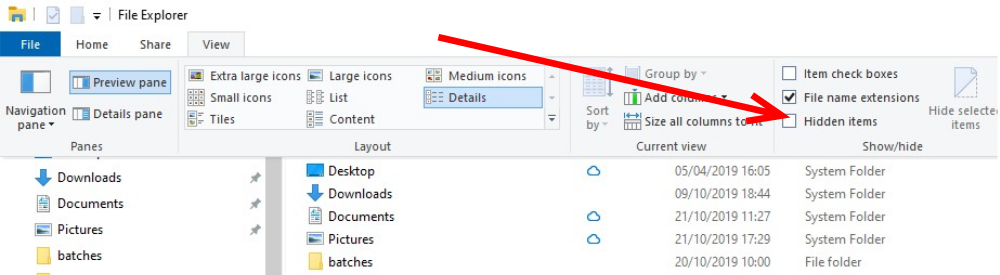
Étape 2 - Allow Hidden Items to be shown
Click the checkbox
Étape 3 - Delete temp Appdata
User (Stuga) ---> 'Appdata' ---> 'Local' ---> 'Temp' - Delete everything within the 'temp' folder.
Étape 4 - Delete Old Batches
This PC ---> 'Saw' ---> 'Archives' ---> Delete the .449 and .zeb files within this folder - this is removing the old batches
Draft
 Français
 English
 Deutsch
 Español
 Italiano
 Português