| [version en cours de rédaction] | [version en cours de rédaction] |
(Page créée avec « {{Tuto Details |Description=<translate>Setting up the Air Pressure Switch. Phots are from ZX5.</translate> |Categories=Operation, Production |Difficulty=Easy |Duration=5-1... ») |
|||
| (Une révision intermédiaire par un autre utilisateur non affichée) | |||
| Ligne 1 : | Ligne 1 : | ||
{{Tuto Details | {{Tuto Details | ||
| + | |Main_Picture=Air_Pressure_Switch_Setup_2.jpg | ||
| + | |Main_Picture_annotation={"version":"2.4.6","objects":[{"type":"image","version":"2.4.6","originX":"left","originY":"top","left":10,"top":-93,"width":480,"height":640,"fill":"rgb(0,0,0)","stroke":null,"strokeWidth":0,"strokeDashArray":null,"strokeLineCap":"butt","strokeDashOffset":0,"strokeLineJoin":"miter","strokeMiterLimit":4,"scaleX":1.2,"scaleY":1.2,"angle":0,"flipX":false,"flipY":false,"opacity":1,"shadow":null,"visible":true,"clipTo":null,"backgroundColor":"","fillRule":"nonzero","paintFirst":"fill","globalCompositeOperation":"source-over","transformMatrix":null,"skewX":0,"skewY":0,"crossOrigin":"","cropX":0,"cropY":0,"src":"https://stuga.dokit.app/images/9/96/Air_Pressure_Switch_Setup_2.jpg","filters":[]}],"height":450.4322766570605,"width":600} | ||
|Description=<translate>Setting up the Air Pressure Switch. Phots are from ZX5.</translate> | |Description=<translate>Setting up the Air Pressure Switch. Phots are from ZX5.</translate> | ||
|Categories=Operation, Production | |Categories=Operation, Production | ||
| Ligne 5 : | Ligne 7 : | ||
|Duration=5-10 | |Duration=5-10 | ||
|Duration-type=minute(s) | |Duration-type=minute(s) | ||
| + | |Tags=Confluence | ||
}} | }} | ||
{{Introduction | {{Introduction | ||
| − | |Introduction=<translate></translate> | + | |Introduction=<translate>28/08/25 Moved to Confluence |
| + | |||
| + | [https://stuga-ltd.atlassian.net/wiki/external/Zjk2Nzk0MGU2Mzc3NDRiMmJhZmU4NzQ0YjMyNjkyY2M Click Here]</translate> | ||
}} | }} | ||
{{Materials}} | {{Materials}} | ||
{{EPI}} | {{EPI}} | ||
{{Tuto Step | {{Tuto Step | ||
| − | |Step_Title=<translate> | + | |Step_Title=<translate></translate> |
| − | |||
| − | |||
| − | |||
| − | |||
| − | |||
| − | |||
| − | |||
| − | |||
| − | |||
| − | |||
| − | |||
| − | |||
| − | |||
| − | |||
| − | |||
| − | |||
| − | |||
| − | |||
| − | |||
| − | |||
| − | |||
| − | |||
| − | |||
| − | |||
| − | |||
| − | |||
|Step_Content=<translate></translate> | |Step_Content=<translate></translate> | ||
}} | }} | ||
{{Notes}} | {{Notes}} | ||
{{PageLang | {{PageLang | ||
| + | |Language=en | ||
|SourceLanguage=none | |SourceLanguage=none | ||
|IsTranslation=0 | |IsTranslation=0 | ||
| − | |||
}} | }} | ||
{{Tuto Status | {{Tuto Status | ||
|Complete=Draft | |Complete=Draft | ||
}} | }} | ||
Version actuelle datée du 28 août 2025 à 17:35
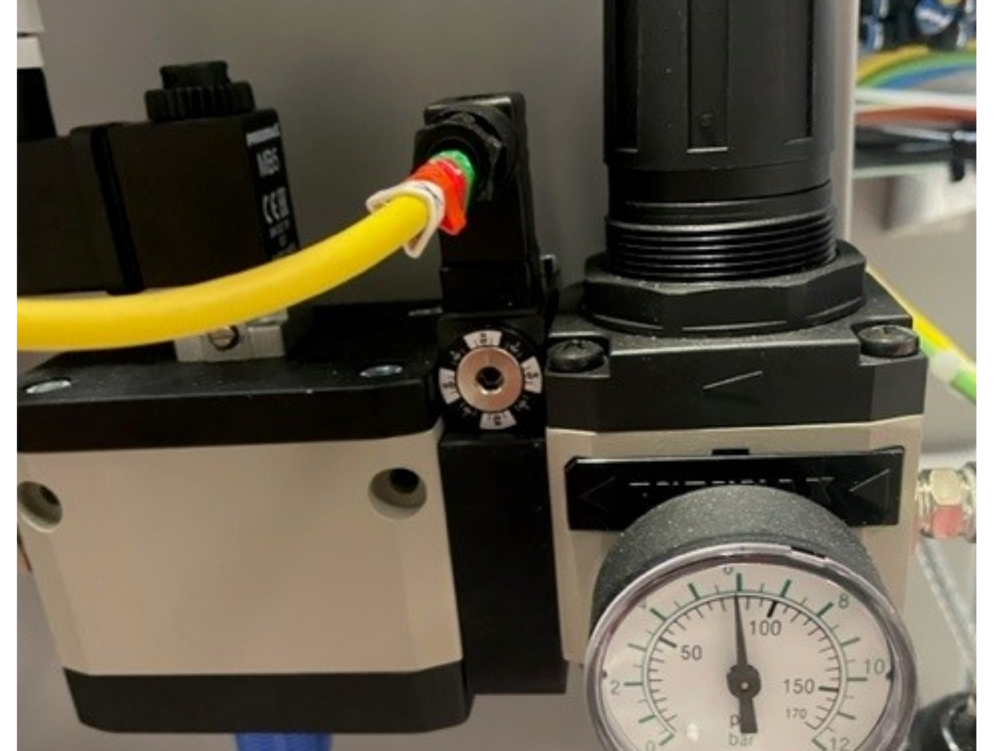
Setting up the Air Pressure Switch. Phots are from ZX5.

Difficulté
Facile
Durée
5-10 minute(s)
Sommaire
Introduction
28/08/25 Moved to Confluence
Click HereÉtape 1 -
Draft
 Français
 English
 Deutsch
 Español
 Italiano
 Português