|
|
| (Une révision intermédiaire par un autre utilisateur non affichée) |
| Ligne 5 : |
Ligne 5 : |
| | |Categories=Maintenance | | |Categories=Maintenance |
| | |Difficulty=Easy | | |Difficulty=Easy |
| − | |Duration=10 | + | |Duration=20 |
| | |Duration-type=minute(s) | | |Duration-type=minute(s) |
| − | |Tags=Laser Sensor, ZX4, ZX5, Flowline, Commissioning | + | |Tags=Confluence |
| | }} | | }} |
| | {{Introduction | | {{Introduction |
| − | |Introduction=<translate>Infeed Off-Cut Laser sensors are used to check the length of profile with the proposed length from the software. This is to avoid incorrect lengths and profiles being cut. The sensors will be put at specific lengths along the infeed which will be input in the software files. When profile hits the back fence all covered sensors will trigger, hence, the profile must be larger that the final triggered sensor.</translate> | + | |Introduction=<translate>21/08/2025 Moved to confluence |
| | + | |
| | + | [https://stuga-ltd.atlassian.net/wiki/external/NWQyMzdiNGUxZjNlNGQ5NzhmZGY2YTQ3YTRiZDMzMDM Click here]</translate> |
| | }} | | }} |
| | {{TutoVideo | | {{TutoVideo |
| Ligne 19 : |
Ligne 21 : |
| | {{EPI}} | | {{EPI}} |
| | {{Tuto Step | | {{Tuto Step |
| − | |Step_Title=<translate>Adjust the "Light Dark"</translate> | + | |Step_Title=<translate></translate> |
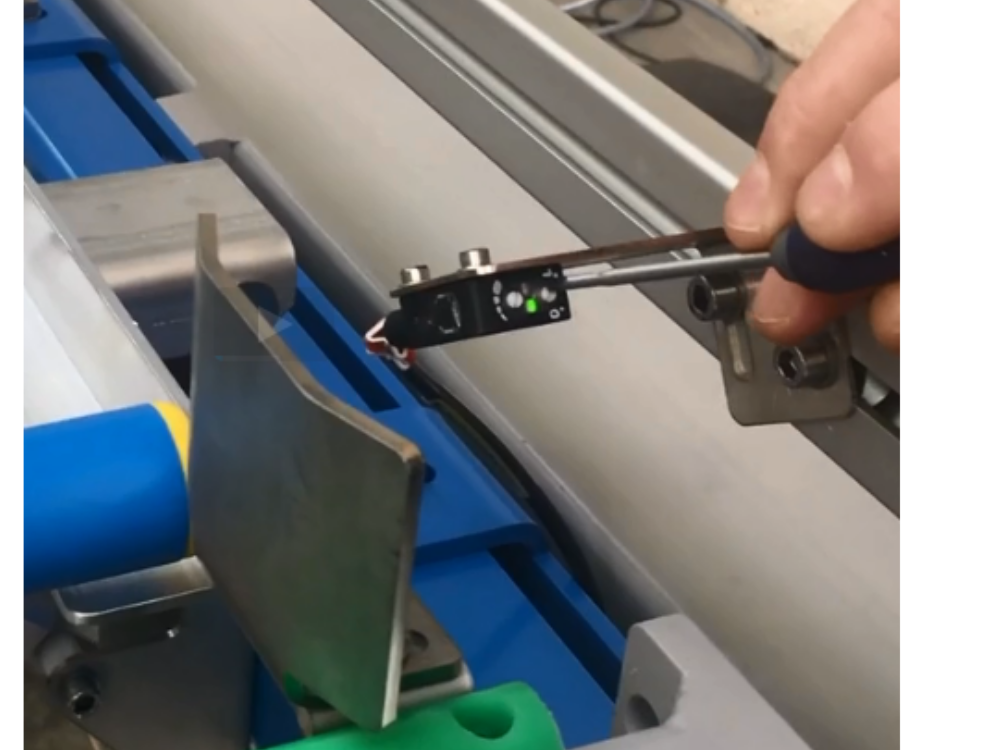
| − | |Step_Content=<translate>Adjust the "'''Light Dark'''" balance on the sensor. To do this, using a small flat head screwdriver, turn the light dark dial '''clockwise''' until the orange light goes off. Then slowly turn '''anti-clockwise''' until the orange light turns on again, when this happens re-turn a '''little clockwise''' to turn off the orange light.</translate> | + | |Step_Content=<translate></translate> |
| − | |Step_Picture_00=Commissioning_-_Off-Cut_Laser_Sensor_laser1.PNG
| |
| − | }}
| |
| − | {{Tuto Step
| |
| − | |Step_Title=<translate>Adjust Sensitivity</translate>
| |
| − | |Step_Content=<translate>Now adjust the sensitivity. Place an object '''80mm''' away from the sensor. Now adjust the sensitivity until the orange light turns on.</translate>
| |
| − | |Step_Picture_00=Commissioning_-_Off-Cut_Laser_Sensor_laser2.PNG
| |
| − | }}
| |
| − | {{Tuto Step
| |
| − | |Step_Title=<translate>Sensor Height Warning</translate>
| |
| − | |Step_Content=<translate>Make sure the height of the sensor is '''ABOVE''' the gaskets on profile.</translate>
| |
| − | |Step_Picture_00=Commissioning_-_Off-Cut_Laser_Sensor_Laser4.PNG
| |
| − | }}
| |
| − | {{Tuto Step
| |
| − | |Step_Title=<translate>Input Laser Measurements</translate>
| |
| − | |Step_Content=<translate>From the 0 Position, measure the distance of each sensor. These should be written down on the sensors.
| |
| − | | |
| − | In the measurements settings (winMulti> Settings > measurements) update each '''offcutSensorX''' parameter with the exact measurements recorded.</translate>
| |
| − | |Step_Picture_00=Commissioning_-_Off-Cut_Laser_Sensor_Laser5.jpg
| |
| | }} | | }} |
| | {{Notes}} | | {{Notes}} |
Setting up the laser sensors on the infeed of a Flowline, ZX4 and ZX5.
Auteur  Anonymous | Dernière modification 21/08/2025 par Gareth Green en cours de rédaction ⧼frevu-button-review-label⧽
Durée
20 minute(s) minute(s)
Setting up the laser sensors on the infeed of a Flowline, ZX4 and ZX5.
Durée
20 minute(s) minute(s)
Confluence
Commissioning_-_Off-Cut_Laser_Sensor_laser1.PNG
Introduction
en
none
0
Draft
 Français
 English
 Deutsch
 Español
 Italiano
 Português