How to import and export drive parameters from one project to another in Beckhoff Drive manager


Sommaire
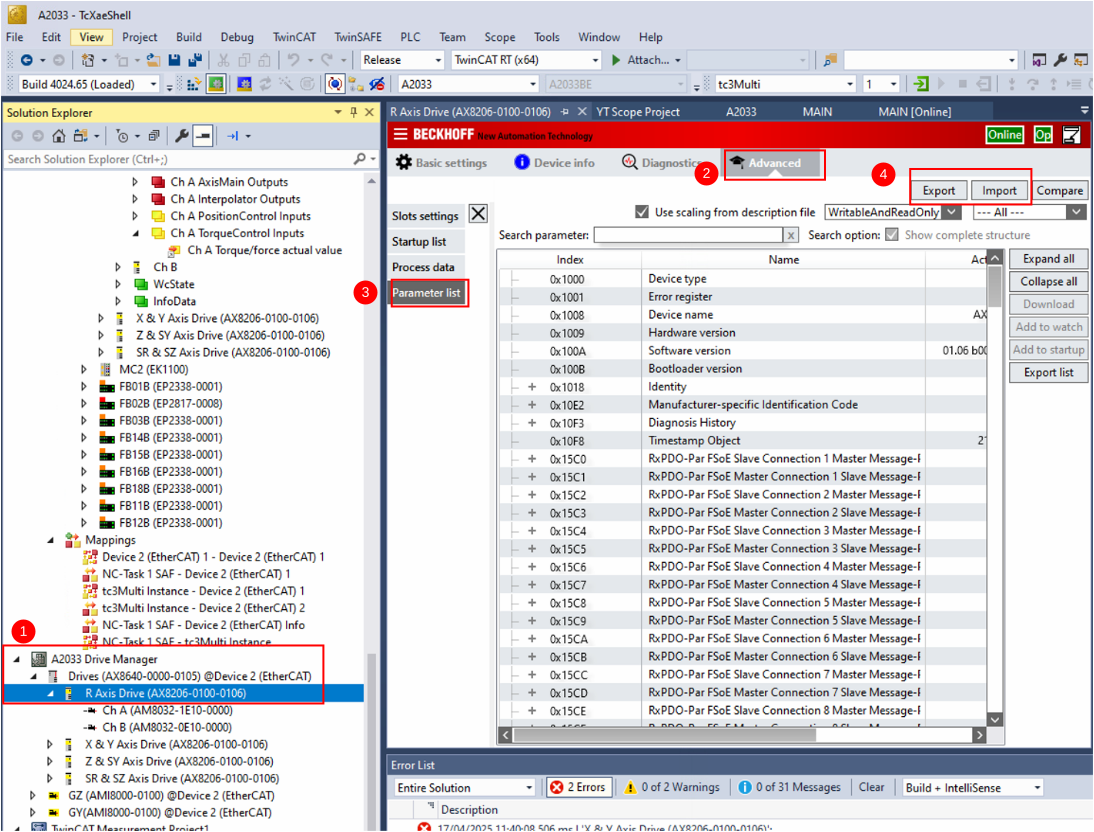
- In Drive Manager, select the Drive
- Advanced Tab
- Parameter List
- Export or Import with these buttons
Importing
Specific motor tuning setups can be found on the G: drive
G:\Design\TwinCAT3\Other Motor Definition Files
Clicking on import button ->Import device window appears
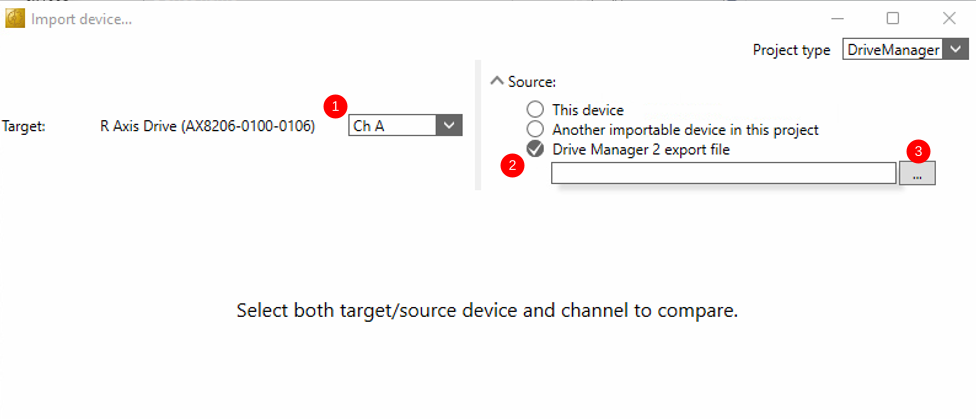
- Select the channel on the drive you want to import to
- Select Drive Manager 2 export file
- Load the parameters
Exporting
Exporting is simple - it opens a screen to save the export file with a .dm2exp suffix
Draft
 Français
 English
 Deutsch
 Español
 Italiano
 Português