How to import and export drive parameters from one project to another in Beckhoff Drive manager
Auteur  Gareth Green | Dernière modification 17/04/2025 par Gareth Green en cours de rédaction ⧼frevu-button-review-label⧽
How to import and export drive parameters from one project to another in Beckhoff Drive manager
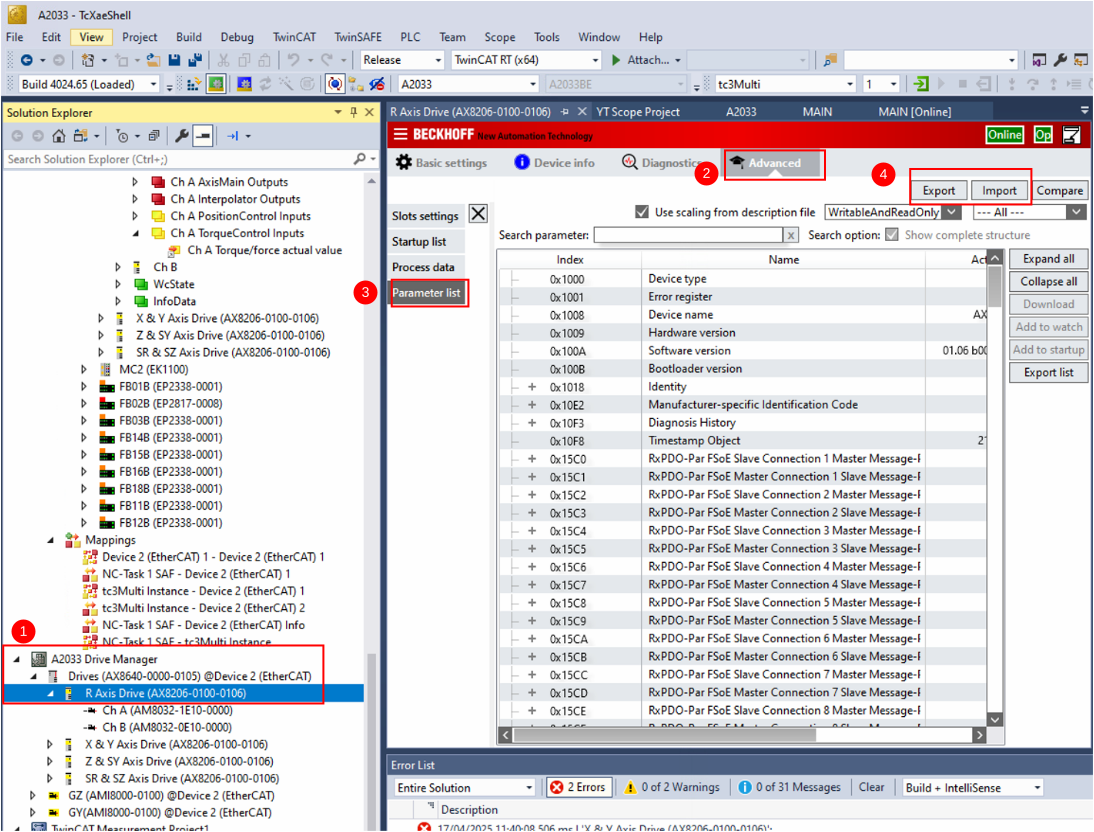
- In Drive Manager, select the Drive
- Advanced Tab
- Parameter List
- Export or Import with these buttons
Importing
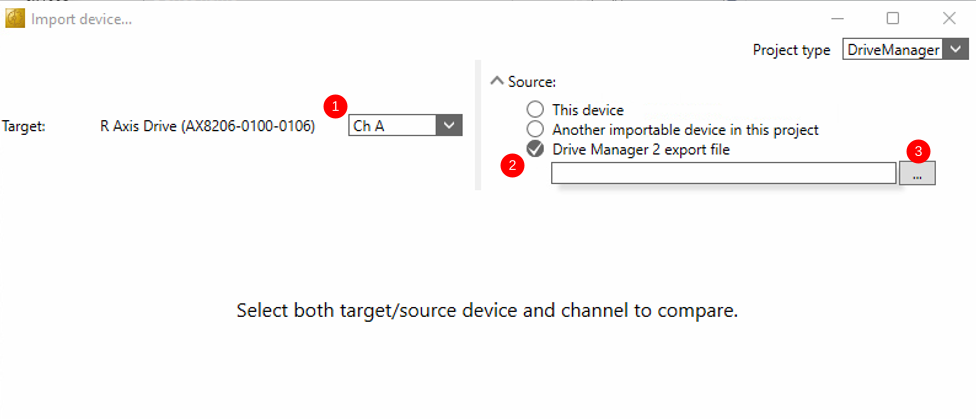
Import screen appears
- Select the channel on the drive you want to import to
- Select Drive Manager 2 export file
- Load the parameters
Exporting
Exporting is simple - it opens a screen to save the export file with a .dm2exp suffix
en
none
0
Draft
Vous avez entré un nom de page invalide, avec un ou plusieurs caractères suivants :
< > @ ~ : * € £ ` + = / \ | [ ] { } ; ? #
Pas encore enregistré ? Créez un compte pour profiter de toutes les fonctionnalités du service !
 Français
 English
 Deutsch
 Español
 Italiano
 Português