|
|
| (8 révisions intermédiaires par 2 utilisateurs non affichées) |
| Ligne 4 : |
Ligne 4 : |
| | |Description=<translate>How to fit a Yaskawa Inverter as a replacement in the field</translate> | | |Description=<translate>How to fit a Yaskawa Inverter as a replacement in the field</translate> |
| | |Categories=Maintenance | | |Categories=Maintenance |
| − | |Tags=Yaskawa, Inverter, TB0417 | + | |Tags=Confluence |
| | }} | | }} |
| − | <translate><br /> | + | <translate>Moved to Confluence 18/12/2025 |
| − | {| class="wikitable"
| |
| − | |+Version History
| |
| − | !Version
| |
| − | !Date
| |
| − | !By
| |
| − | !Description
| |
| − | !Section
| |
| − | !Notes
| |
| − | |-
| |
| − | |1
| |
| − | |01/01/19
| |
| − | |GMG
| |
| − | |Original Release
| |
| − | |
| |
| − | |
| |
| − | |-
| |
| − | |2
| |
| − | |23/07/20
| |
| − | |GMG
| |
| − | |50 / 300Hz Contactors on ZX3 / Microline
| |
| − | |2.7
| |
| − | |Change text to reflect removal of 50/300Hz contactors and use 50Hz signal for inverter 50Hz signal
| |
| − | |-
| |
| − | |3
| |
| − | |09/09/20
| |
| − | |GMG
| |
| − | |V5 software upgrade on E100s
| |
| − | |2.6
| |
| − | |Add links to the process for installing the latest v5 software
| |
| − | |-
| |
| − | |4
| |
| − | |22/09/20
| |
| − | |GMG
| |
| − | |Alternative for InvZro on E100
| |
| − | |2.7
| |
| − | |Notes on how to use an alternative slice / IO channel for invZro
| |
| − | Added a test at the end to check InvZro is functional
| |
| | | | |
| − | Add check that the decel time of front end exceeds decel of back end
| |
| − | |-
| |
| − | |5
| |
| − | |16/10/20
| |
| − | |GMG
| |
| − | |Anomalies on M008 upgrade
| |
| − | |2.71
| |
| − | |M008 is a post-refurb Microline with Wago slices and unique slice wiring, not quite the same as a machine wired as E100 from scratch. Modifications noted
| |
| − | |-
| |
| − | |6
| |
| − | |08/06/22
| |
| − | |GMG
| |
| − | |Add Autoflow - Delta combination
| |
| − | |2.8
| |
| − | |A2018 is an autoflow with Twinsafe Fitted and a delta inverter
| |
| − | |-
| |
| − | |7
| |
| − | |12/10/22
| |
| − | |GMG
| |
| − | |Y316 InvDP on TwinCAT2
| |
| − | |2.1, 2.8
| |
| − | |TwinCAT2 uses Y316, not the Standard Y271 as the Inv_DP Output
| |
| − | |-
| |
| − | |8
| |
| − | |04/01/23
| |
| − | |GMG
| |
| − | |Add Beckhoff ZX3 Instructions
| |
| − | |2.3
| |
| − | |Instructions were for ZX4. Now added 50/300Hz Changeover
| |
| − | |}
| |
| | | | |
| − | =1. Introduction-Upgrade Kit=
| + | [https://stuga-ltd.atlassian.net/wiki/spaces/~5570585b7bb5d1bc31430e886883cbc774c182/pages/89063431/Fitting+Yaskawa+Inverter Fitting Yaskawa Inverter]</translate> |
| − | There are two versions of the upgrade kit for these parts:
| |
| − | {| class="wikitable"
| |
| − | |+
| |
| − | !Stock No
| |
| − | !Description
| |
| − | !Used On
| |
| − | |-
| |
| − | |R0015105
| |
| − | |Kit: Yaskawa Inverter Upgrade
| |
| − | |All Autoflows
| |
| − | ZX3, Zx4, ZX5 from Z043
| |
| − | | |
| − | | |
| − | -in Summary, all machines where inverter is in a seperate cabinet from the front end PC
| |
| − | |-
| |
| − | |R0015105B
| |
| − | |Kit: Yaskawa Inverter Upgrade - Same Cabinet
| |
| − | |All Flowlines (with High speed ring upgrade)
| |
| − | ZX3, Zx4 up to Z042
| |
| − | | |
| − | All Microlines
| |
| − | | |
| − | | |
| − | - in Summary, all machines where the Inverter is located in the same cabinet as front end PC
| |
| − | |}
| |
| − | <br />
| |
| − | =1.1 What is the Yaskawa inverter?=
| |
| − | | |
| − | *Like the Delta inverter, it has an internal PLC. We have worked alongside Goodwin Electronics to write a PLC program specifically for the Stuga machines.
| |
| − | *Unlike the Delta inverters, when we receive an inverter from Goodwin Electronics, it will already be pre-programmed and ready to run on any machine.
| |
| − | *This inverter can replace the Jaguar and the Delta inverters. It has STO functionality which will be used on new builds and an also be retrospectively wired into machines in the field if needed.
| |
| − | *This inverter has shown to provide more protection in fault scenarios than the Delta inverter. One of the worries of the Delta was how it handled issues on the incoming supply. The Yaskawa inverter has shown resilience to shorts, missing phases, phases to earth and other issues on both incoming and outgoing supplies.
| |
| − | *The Yaskawa inverter adds extra functionality as well. We can now monitor the zero speed of the spindles. This means we can more accurately time when we switch spindle relays on and off. This will lead to less arcing in spindle boxes and premature failure of spindle cards/relays.
| |
| − | {{Warning|...PLEASE NOTE: BEFORE DISCONNECTING AND RECONNECTING INVERTERS, ENSURE MACHINE IS POWERED DOWN!}}
| |
| − | | |
| − | ==1.2 Mechanical Fitting Notes==
| |
| − | | |
| − | ===In place of a Delta inverter===
| |
| − | The Yaskawa has a very similar outer body size to the Delta inverter. This means that it will fit into the same space that the Delta did. However, the hole centres are different. New holes will need to be drilled when first fitting a Yaskawa.
| |
| − | | |
| − | ===In place of a Jaguar inverter===
| |
| − | The Yaskawa is much taller than the Jaguar inverter. This may mean that the Yaskawa will not fit in the same space that the Jaguar did. We had the same problem when replacing Jaguar with Delta. There has been occasions in some of the older style ZX cabinets where the plastic trunking had to be re-routed to allow the room for the new inverter to fit.
| |
| − | | |
| − | ==1.3 Wiring the Yaskawa Inverter==
| |
| − | This is a general diagram for cabling into the different machine types - more details for each machine will follow
| |
| − | | |
| − | {{Warning|...The Yaskawa is sometimes supplied with a link wire between SC and SP. This link wire should be removed}}
| |
| − | | |
| − | When the inverter is fitted, the screen needs to be removed via the clip on the top. If you do not do this, the connector that is behind the screen can be bent out of place and the screen will not reconnect. The main cover that is at the front of the inverter needs to be removed with the screw at the bottom right. You then have to pinch either side of the inverter and lift the cover up.
| |
| − | | |
| − | You can then start wiring in cables from the original inverter setup as per table in the electrical drawing.
| |
| − | | |
| − | There will be some wiring that needs to be added. The table show all extra wiring that is needed for the inverter. The extra wiring will need to splice off existing cables in the electrical cabinet. The Yaskawa inverter needs more IO than the Jaguar. If there is a Delta fitted, you will find that most of the IO will already be in.
| |
| − | | |
| − | ==1.4 Software Upgrades==
| |
| − | | |
| − | ===Extra Functionality===
| |
| − | The Yaskawa inverter has also been programmed to monitor the temperature of the dump resistor. If the machine has a dump resistor with a thermal overload on it, this needs to be wired into the inverter. The alarm for this input is only in fault state when the input is high. This means if you do not have a thermal overload, leave the input terminal empty.
| |
| − | | |
| − | The Yaskawa inverter also has an output to say the spindle is at zero speed. This will need to be wired back into the main machine PLC or IO slices. This will then need a software update from Stuga.
| |
| − | | |
| − | ===TwinCAT3 Notes===
| |
| − | · Timing issues on switching the double plunge configuration means that another IO channel is needed – OuB_InvDP (Y271). This output used to directly control the inverter, not the Y376, Y377, Y58, Y62
| |
| − | | |
| − | · Version 6.2514 or later needed
| |
| − | | |
| − | · Mapping required for Y271
| |
| − | | |
| − | <br />
| |
| − | {| class="wikitable"
| |
| − | |+Software Version Requirements
| |
| − | !Control System
| |
| − | !Front End Version
| |
| − | !Back End Version
| |
| − | |-
| |
| − | |Nextmove Mint
| |
| − | |5.4.4.0 (29/06/16)
| |
| − | |3.9997 (Feb 17){{#annotatedImageLight:Fichier:YASKAWAINVERTER parameter.png|0=200px|hash=|jsondata=|mediaClass=Image|type=frameless|align=center|src=https://stuga.dokit.app/images/b/b2/YASKAWAINVERTER_parameter.png|href=./Fichier:YASKAWAINVERTER parameter.png|resource=./Fichier:YASKAWAINVERTER parameter.png|caption=|size=200px}}<br />
| |
| − | |-
| |
| − | |TwinCAT2
| |
| − | |5.4.4.0 (29/06/16)
| |
| − | |See GG
| |
| − | |-
| |
| − | |TwinCAT3
| |
| − | |Any
| |
| − | |6.2514 (24/10/18)
| |
| − | |}
| |
| − | <br />
| |
| − | =2. Machine Applications=
| |
| − | ==2.1. Autoflow TwinCAT 2 Notes==
| |
| − | | |
| − | ====Inverter====
| |
| − | · Increase C1-01 accel time on 50Hz to 0.4
| |
| − | | |
| − | · Increase C1-05 accel time on 300Hz to 0.4
| |
| − | | |
| − | · Wire S1 to Module B Output Slice channel 1 (Y63)
| |
| − | | |
| − | · Wire S2 to Module B Output Slice channel 2 (Y63)
| |
| − | | |
| − | · Wire S3 and S4 to Module B Output Slice Channel 3 and 4 (Y376)
| |
| − | | |
| − | · 59a to 0v
| |
| − | | |
| − | · 24v link across 3 other inputs
| |
| − | | |
| − | · Inverter fault direct output (bypass the useless link through the overload relay)
| |
| − | | |
| − | · Inverter reset wire to output slice
| |
| − | | |
| − | · Inverter at zero wire to input slice channel 7 (X308)
| |
| − | | |
| − | · Resistor fault not working correctly, leave disconnected STO??! Inverter powers off on estop, works ok, leave links in HC, H1,H2
| |
| − | | |
| − | ====Back end====
| |
| − | · Double link the double plunge outputs (Y316) 0> Channel 3 and 4
| |
| − | | |
| − | {{Info|...This is different to the standard Y271. Only applies to TwinCAT2 controlled machines}}
| |
| − | | |
| − | | |
| − | · Link inverter reset (X308) -> Channel 7
| |
| − | | |
| − | · Link inverter zero
| |
| − | | |
| − | · Latest software version
| |
| − | | |
| − | ====Front end====
| |
| − | · Ensure inverter alarm is correct sense
| |
| − | | |
| − | · Parameter Invert300hz=1
| |
| − | | |
| − | · Check inverter display changes to 300hz / 50 HS when spindles are selected
| |
| − | | |
| − | ==2.2. Flowline Mk3 Refurb TwinCAT3==
| |
| − | · The phase monitoring device is not needed any more, but it is inactive, so can be left in place.
| |
| − | | |
| − | · Remove the cable 127 connecting SIG to the Delta inverter
| |
| − | | |
| − | · 3 new wires required, Y63 (Inv_300), Y271(Inv_Dp) and X308 (Inv_Zero)
| |
| − | | |
| − | · Y63, Y271 and X308 will need mapping in TwinCAT3 and adding to IO Ref
| |
| − | | |
| − | · Parameter Invert300Hz needs to be true
| |
| − | | |
| − | · Latest Software needs to be added to sort timings and use of Y63, Y271 and X308
| |
| − | {| class="wikitable" border="1" cellspacing="0" cellpadding="0"
| |
| − | | width="170" valign="top" |'''Function'''
| |
| − | | width="132" valign="top" |'''Wire Number / Colour'''
| |
| − | | width="227" valign="top" |'''Yaskawa Terminal'''
| |
| − | |-
| |
| − | | width="170" valign="top" |'''Mains In L1, L2, L3'''
| |
| − | | width="132" valign="top" |26, 27,28
| |
| − | | width="227" valign="top" |L1, L2, L3
| |
| − | |-
| |
| − | | width="170" valign="top" |'''Motor Out U, V, W'''
| |
| − | | width="132" valign="top" |126, 127, 128
| |
| − | | width="227" valign="top" |T1, T2, T3
| |
| − | |-
| |
| − | | width="170" valign="top" |'''Input: Select 50Hz #1'''
| |
| − | | width="132" valign="top" |Y63
| |
| − | | |
| − | Wire to MC4 Ou7
| |
| − | | width="227" valign="top" |S1
| |
| − | |-
| |
| − | | width="170" valign="top" |'''Input: Select 50Hz #2'''
| |
| − | | width="132" valign="top" |Link to S1
| |
| − | | width="227" valign="top" |S2
| |
| − | |-
| |
| − | | width="170" valign="top" |'''Input: Double Plunge #1'''
| |
| − | | width="132" valign="top" |Y271
| |
| − | | |
| − | Wire To MC4 Ou8
| |
| − | | width="227" valign="top" |S3
| |
| − | |-
| |
| − | | width="170" valign="top" |'''Input: Double Plunge #2'''
| |
| − | | width="132" valign="top" |Link to S3
| |
| − | | width="227" valign="top" |S4
| |
| − | |-
| |
| − | | width="170" valign="top" |'''Input: Motor Run'''
| |
| − | | width="132" valign="top" |Y358
| |
| − | | width="227" valign="top" |S5
| |
| − | |-
| |
| − | | width="170" valign="top" |'''Input: Inverter Reset'''
| |
| − | | width="132" valign="top" |Y374
| |
| − | | width="227" valign="top" |S6
| |
| − | |-
| |
| − | | width="170" valign="top" |'''Input: Resistor Thermal Ovl'''
| |
| − | | width="132" valign="top" |n/c
| |
| − | | width="227" valign="top" |S7
| |
| − | |-
| |
| − | | width="170" valign="top" |'''Input: Motor 2 Safety'''
| |
| − | | width="132" valign="top" |Link to M4
| |
| − | | width="227" valign="top" |S8
| |
| − | |-
| |
| − | | width="170" valign="top" |'''Inverter OK 24v'''
| |
| − | | width="132" valign="top" |24v (Yellow)
| |
| − | | width="227" valign="top" |MC
| |
| − | |-
| |
| − | | width="170" valign="top" |'''Inverter OK Output'''
| |
| − | | width="132" valign="top" |X342
| |
| − | | width="227" valign="top" |MB
| |
| − | |-
| |
| − | | width="170" valign="top" |'''Output 24v Supply'''
| |
| − | | width="132" valign="top" |24v (Yellow)
| |
| − | | width="227" valign="top" |M1, M3
| |
| − | |-
| |
| − | | width="170" valign="top" |'''Output: Spindle At Zero'''
| |
| − | | width="132" valign="top" |New Wire X308
| |
| − | | |
| − | To io slice MC5
| |
| − | | |
| − | Input channel 8
| |
| − | | width="227" valign="top" |M2
| |
| − | |-
| |
| − | | width="170" valign="top" |'''Output: Motor 2 Safety'''
| |
| − | | width="132" valign="top" |Link to S8
| |
| − | | width="227" valign="top" |M4
| |
| − | |-
| |
| − | | width="170" valign="top" |'''STO Override'''
| |
| − | | width="132" valign="top" |Link
| |
| − | | width="227" valign="top" |H1, H2, HC
| |
| − | |-
| |
| − | | width="170" valign="top" |'''External 0v'''
| |
| − | | width="132" valign="top" |0v (White)
| |
| − | | width="227" valign="top" |SC
| |
| − | |-
| |
| − | | width="170" valign="top" |'''Braking Resistor'''
| |
| − | | width="132" valign="top" |1,2
| |
| − | | width="227" valign="top" |B1, B2
| |
| − | |}
| |
| − | | |
| − | ====IODef.mul additions====
| |
| − | <syntaxhighlight>
| |
| − | Inv_Zero,308,1,0,0,0,0,1,12,0
| |
| − | Inv_DP ,271,2,0,0,0,0,1,10,0
| |
| − | Inv_300 ,63,2,0,0,0,0,1,11,0
| |
| − | </syntaxhighlight><br />
| |
| − | | |
| − | ==2.3. ZX4 Mk5/6 (Beckhoff) Retrofitting in place of Delta==
| |
| − | Electrical Highlights:
| |
| − | | |
| − | *Ensure 24v connected to M1, M3 and MC
| |
| − | *There is a cable already labelled Y377.
| |
| − | **This will be relabelled Y271 (OuB_InvDp) .
| |
| − | **This connects to S3 and add link to S4.
| |
| − | *There is a cable already labelled Y376
| |
| − | **This will be relabelled X308 (InA_InvZero)
| |
| − | **At Yaskawa end, this connects to M2
| |
| − | **At Beckhoff end, this was connected to MC3B pin 15 (OU1). This now needs to be moved to pin 4 (IN4)
| |
| − | *A link wire between M4 and S8 needs to be added
| |
| − | *For ZX3 only, there are existing cables Y362 and Y363 (used to signal Delta to change to 50Hz)
| |
| − | **Remove Y363 cable (Only one signal is needed on Yaskawa inverter)
| |
| − | **Rename Y362 cable to Y63 (This is now OuB_300 output to tell Yaskawa to switch to 300Hz)
| |
| − | **At Yaskawa end, Y63 cable connects to S1 with a link to S2
| |
| − | *Remove Wire 60B (From Aux contact on F5 to RC1 on Delta Inverter). Not needed because Inverter OK signal does not need to be in series with F5 overload
| |
| − | *Remove wire 61B from Phase monitor to Delta MI6. Not needed because Yaskawa does phase monitoring internally
| |
| − | *2 additional 24v control relays needed for interfacing TwinSafe to the STO inputs as per diagram
| |
| − | {{#annotatedImageLight:Fichier:Fitting Yaskawa Inverter Yaskawa STO Wiring Beckhoff.png|0=271px|hash=|jsondata=|mediaClass=Image|type=frameless|align=center|src=https://stuga.dokit.app/images/4/42/Fitting_Yaskawa_Inverter_Yaskawa_STO_Wiring_Beckhoff.png|href=./Fichier:Fitting Yaskawa Inverter Yaskawa STO Wiring Beckhoff.png|resource=./Fichier:Fitting Yaskawa Inverter Yaskawa STO Wiring Beckhoff.png|caption=|size=271px}}<br />
| |
| − | {| class="wikitable" border="1" cellspacing="0" cellpadding="0"
| |
| − | | width="170" valign="top" |'''Function'''
| |
| − | | width="227" valign="top" |'''Wire Number / Colour'''
| |
| − | | width="132" valign="top" |'''Yaskawa Terminal'''
| |
| − | |-
| |
| − | | width="170" valign="top" |'''Mains In L1, L2, L3'''
| |
| − | | width="227" valign="top" |21B, 22B, 23B
| |
| − | | width="132" valign="top" |L1, L2, L3
| |
| − | |-
| |
| − | | width="170" valign="top" |'''Motor Out U, V, W'''
| |
| − | | width="227" valign="top" |70B, 71B, 72B
| |
| − | | width="132" valign="top" |T1, T2, T3
| |
| − | |-
| |
| − | | width="170" valign="top" |'''Input: Select 50Hz #1'''
| |
| − | | width="227" valign="top" |ZX4: n/c
| |
| − | ZX3: Y63
| |
| − | | width="132" valign="top" |S1
| |
| − | |-
| |
| − | | width="170" valign="top" |'''Input: Select 50Hz #2'''
| |
| − | | width="227" valign="top" |ZX4: n/c
| |
| − | ZX3: Link to S1
| |
| − | | width="132" valign="top" |S2
| |
| − | |-
| |
| − | | width="170" valign="top" |'''Input: Double Plunge #1'''
| |
| − | | width="227" valign="top" |Y271 -Wire To MC4 Ou8
| |
| − | | width="132" valign="top" |S3
| |
| − | |-
| |
| − | | width="170" valign="top" |'''Input: Double Plunge #2'''
| |
| − | | width="227" valign="top" |Link to S3
| |
| − | | width="132" valign="top" |S4
| |
| − | |-
| |
| − | | width="170" valign="top" |'''Input: Motor Run'''
| |
| − | | width="227" valign="top" |Y358
| |
| − | | width="132" valign="top" |S5
| |
| − | |-
| |
| − | | width="170" valign="top" |'''Input: Inverter Reset'''
| |
| − | | width="227" valign="top" |Y374
| |
| − | | width="132" valign="top" |S6
| |
| − | |-
| |
| − | | width="170" valign="top" |'''Input: Resistor Thermal Ovl'''
| |
| − | | width="227" valign="top" |n/c
| |
| − | | width="132" valign="top" |S7
| |
| − | |-
| |
| − | | width="170" valign="top" |'''Input: Motor 2 Safety'''
| |
| − | | width="227" valign="top" |Link to M4
| |
| − | | width="132" valign="top" |S8
| |
| − | |-
| |
| − | | width="170" valign="top" |'''Inverter OK 24v'''
| |
| − | | width="227" valign="top" |24v (Yellow)
| |
| − | | width="132" valign="top" |MC
| |
| − | |-
| |
| − | | width="170" valign="top" |'''Inverter OK Output'''
| |
| − | | width="227" valign="top" |X342
| |
| − | | width="132" valign="top" |MB
| |
| − | |-
| |
| − | | width="170" valign="top" |'''Output 24v Supply'''
| |
| − | | width="227" valign="top" |24v (Yellow)
| |
| − | | width="132" valign="top" |M1, M3
| |
| − | |-
| |
| − | | width="170" valign="top" |'''Output: Spindle At Zero'''
| |
| − | | width="227" valign="top" |New Wire X308 -To io slice MC3B IN4
| |
| − | | width="132" valign="top" |M2
| |
| − | |-
| |
| − | | width="170" valign="top" |'''Output: Motor 2 Safety'''
| |
| − | | width="227" valign="top" |Link to S8
| |
| − | | width="132" valign="top" |M4
| |
| − | |-
| |
| − | | width="170" valign="top" |'''STO Override'''
| |
| − | | width="227" valign="top" |Add 2 relays as per diagram.
| |
| − | | |
| − | Relay control via Beckhoff safety slices
| |
| − | | width="132" valign="top" |H1, H2, HC
| |
| − | |-
| |
| − | | width="170" valign="top" |'''External 0v'''
| |
| − | | width="227" valign="top" |0v (White)
| |
| − | | width="132" valign="top" |SC
| |
| − | |-
| |
| − | | width="170" valign="top" |'''Braking Resistor'''
| |
| − | | width="227" valign="top" |1,2
| |
| − | | width="132" valign="top" |B1, B2
| |
| − | |}
| |
| − | | |
| − | ====IODef.mul additions====
| |
| − | <syntaxhighlight>
| |
| − | Inv_Zero,308,1,0,0,0,0,19,5,0
| |
| − | Inv_DP ,271,2,0,0,0,0,19,6,0
| |
| − | </syntaxhighlight><br />
| |
| − | | |
| − | ==2.4. ZX5 Retrofitting in place of Delta==
| |
| − | Electrical Highlights:
| |
| − | | |
| − | *Ensure 24v connected to M1 and M3
| |
| − | *Y271(OuB_InvDp) uses the existing cabling in S4, currently labelled Y377
| |
| − | **A link will need to be added up to S3, where there currently is a cable labelled Y376
| |
| − | *Using Y376 cable, remove the labelling and label as X308 (InA_InvZero)
| |
| − | **The other end of this currently goes to the beckhoff slice MC2B pin 15 (OU7). This now needs to be moved to pin 4 (IN4), and relabelled.
| |
| − | *A link wire between M4 and S8 needs to be added
| |
| − | *2 additional 24v control relays needed for interfacing TwinSafe to the STO inputs as per diagram
| |
| − | {{#annotatedImageLight:Fichier:Fitting Yaskawa Inverter Yaskawa STO Wiring Beckhoff.png|0=271px|hash=|jsondata=|mediaClass=Image|type=frameless|align=center|src=https://stuga.dokit.app/images/4/42/Fitting_Yaskawa_Inverter_Yaskawa_STO_Wiring_Beckhoff.png|href=./Fichier:Fitting Yaskawa Inverter Yaskawa STO Wiring Beckhoff.png|resource=./Fichier:Fitting Yaskawa Inverter Yaskawa STO Wiring Beckhoff.png|caption=|size=271px}}<br />
| |
| − | {| class="wikitable" border="1" cellspacing="0" cellpadding="0"
| |
| − | | width="170" valign="top" |'''Function'''
| |
| − | | width="227" valign="top" |'''Wire Number / Colour'''
| |
| − | | width="132" valign="top" |'''Yaskawa Terminal'''
| |
| − | |-
| |
| − | | width="170" valign="top" |'''Mains In L1, L2, L3'''
| |
| − | | width="227" valign="top" |21B, 22B, 23B
| |
| − | | width="132" valign="top" |L1, L2, L3
| |
| − | |-
| |
| − | | width="170" valign="top" |'''Motor Out U, V, W'''
| |
| − | | width="227" valign="top" |70B, 71B, 72B
| |
| − | | width="132" valign="top" |T1, T2, T3
| |
| − | |-
| |
| − | | width="170" valign="top" |'''Input: Select 50Hz #1'''
| |
| − | | width="227" valign="top" |n/c
| |
| − | | width="132" valign="top" |S1
| |
| − | |-
| |
| − | | width="170" valign="top" |'''Input: Select 50Hz #2'''
| |
| − | | width="227" valign="top" |n/c
| |
| − | | width="132" valign="top" |S2
| |
| − | |-
| |
| − | | width="170" valign="top" |'''Input: Double Plunge #1'''
| |
| − | | width="227" valign="top" |Y271 -Wire To MC2B Ou8
| |
| − | | width="132" valign="top" |S3
| |
| − | |-
| |
| − | | width="170" valign="top" |'''Input: Double Plunge #2'''
| |
| − | | width="227" valign="top" |Link to S3
| |
| − | | width="132" valign="top" |S4
| |
| − | |-
| |
| − | | width="170" valign="top" |'''Input: Motor Run'''
| |
| − | | width="227" valign="top" |Y358
| |
| − | | width="132" valign="top" |S5
| |
| − | |-
| |
| − | | width="170" valign="top" |'''Input: Inverter Reset'''
| |
| − | | width="227" valign="top" |Y374
| |
| − | | width="132" valign="top" |S6
| |
| − | |-
| |
| − | | width="170" valign="top" |'''Input: Resistor Thermal Ovl'''
| |
| − | | width="227" valign="top" |n/c
| |
| − | | width="132" valign="top" |S7
| |
| − | |-
| |
| − | | width="170" valign="top" |'''Input: Motor 2 Safety'''
| |
| − | | width="227" valign="top" |Link to M4
| |
| − | | width="132" valign="top" |S8
| |
| − | |-
| |
| − | | width="170" valign="top" |'''Inverter OK 24v'''
| |
| − | | width="227" valign="top" |24v (Yellow)
| |
| − | | width="132" valign="top" |MC
| |
| − | |-
| |
| − | | width="170" valign="top" |'''Inverter OK Output'''
| |
| − | | width="227" valign="top" |X342
| |
| − | | width="132" valign="top" |MB
| |
| − | |-
| |
| − | | width="170" valign="top" |'''Output 24v Supply'''
| |
| − | | width="227" valign="top" |24v (Yellow)
| |
| − | | width="132" valign="top" |M1, M3
| |
| − | |-
| |
| − | | width="170" valign="top" |'''Output: Spindle At Zero'''
| |
| − | | width="227" valign="top" |New Wire X308 -To io slice MC2B IN4
| |
| − | | width="132" valign="top" |M2
| |
| − | |-
| |
| − | | width="170" valign="top" |'''Output: Motor 2 Safety'''
| |
| − | | width="227" valign="top" |Link to S8
| |
| − | | width="132" valign="top" |M4
| |
| − | |-
| |
| − | | width="170" valign="top" |'''STO Override'''
| |
| − | | width="227" valign="top" |Add 2 relays as per diagram.
| |
| − | | |
| − | Relay control via Beckhoff safety slices
| |
| − | | width="132" valign="top" |H1, H2, HC
| |
| − | |-
| |
| − | | width="170" valign="top" |'''External 0v'''
| |
| − | | width="227" valign="top" |0v (White)
| |
| − | | width="132" valign="top" |SC
| |
| − | |-
| |
| − | | width="170" valign="top" |'''Braking Resistor'''
| |
| − | | width="227" valign="top" |1,2
| |
| − | | width="132" valign="top" |B1, B2
| |
| − | |}
| |
| − | | |
| − | ====IODef.mul additions====
| |
| − | <syntaxhighlight>
| |
| − | Inv_Zero,308,1,0,0,0,0,19,3,0
| |
| − | Inv_DP ,271,2,0,0,0,0,19,4,0
| |
| − | </syntaxhighlight><br />
| |
| − | | |
| − | ==2.6. Flowline Mk3 Refurb Notes (Nextmove E100)==
| |
| − | ====Electrical Highlights: ====
| |
| − | | |
| − | *To create space for the new inverter, remove the contactor and timer for delaying the drive switching (If they exist) – these are normally located under the old inverter. This switching was only necessary when a DOS PC was used, the contactor can be bypassed.
| |
| − | *The supply to the new inverter needs to be wired directly rather than via the estop contactor. The new drive has “STO” (Safe Torque Off) inputs that are wired through two 24v dc relays (supplied). This means when ESTOP is pressed, the drive does not power off, it goes into safe torque off mode. This is a much more reliable system than “crash” shutting off the inverter on estop.
| |
| − | *The phase monitoring device (if fitted) is not needed any more, but it is inactive, so can be left in place.
| |
| − | *The 50Hz relays for RY1 and RY4 should be removed and the wires RY1, RY4 wired directly to the inverter inputs S1 and S2. This removes the relays as a potential point of failure.
| |
| − | *Ensure 24v connected to MC, M1 and M3
| |
| − | *New cable for Y271(OuB_InvDp) from S3 and S4 (link), connect to Output channel 8 on 1<sup>st</sup> IO slice. Note: the SPDP wire (Y99) may be numbered Y58 and in the output channel 8. For consistency, make:
| |
| − | *Ou7 - SPDP – Y99
| |
| − | *Ou8 – Inv_DP – Y271
| |
| − | *New Cable X308 (InA_InvZero) from M2, connect to Input channel 7 on 4<sup>th</sup> IO slice.
| |
| − | *A link wire between M4 and S8 needs to be added
| |
| − | *2 additional 24v control relays needed for interfacing Estop to the STO inputs as per diagram
| |
| − | *The Inverter OK signal (X27) should be wired directly from the inverter to the input slice – it is probably wired via the inverter overload relay auxiliary contact – this is now redundant and will cause confusion
| |
| − | *Remove the link SP to SC. This is for grounding an internal PSU that is not used
| |
| − | *Remove X99 wire, this was a feedback check to ensure the 50Hz relays had switched, no not required
| |
| − | | |
| − | {| class="wikitable" border="1" cellspacing="0" cellpadding="0"
| |
| − | | width="170" valign="top" |'''Function'''
| |
| − | | width="227" valign="top" |'''Wire Number / Colour'''
| |
| − | | width="132" valign="top" |'''Yaskawa Terminal'''
| |
| − | |-
| |
| − | | width="170" valign="top" |'''Mains In L1, L2, L3'''
| |
| − | | width="227" valign="top" |26, 27, 28
| |
| − | | width="132" valign="top" |L1, L2, L3
| |
| − | |-
| |
| − | | width="170" valign="top" |'''Motor Out U, V, W'''
| |
| − | | width="227" valign="top" |26B, 27B, 28B
| |
| − | | width="132" valign="top" |T1, T2, T3
| |
| − | |-
| |
| − | | width="170" valign="top" |'''Input: Select 50Hz #1'''
| |
| − | | width="227" valign="top" |RY1
| |
| − | | width="132" valign="top" |S1
| |
| − | |-
| |
| − | | width="170" valign="top" |'''Input: Select 50Hz #2'''
| |
| − | | width="227" valign="top" |RY4
| |
| − | | width="132" valign="top" |S2
| |
| − | |-
| |
| − | | width="170" valign="top" |'''Input: Double Plunge #1'''
| |
| − | | width="227" valign="top" |Y271 -Wire To Output channel 8 on 1<sup>st</sup> IO slice
| |
| − | | width="132" valign="top" |S3
| |
| − | |-
| |
| − | | width="170" valign="top" |'''Input: Double Plunge #2'''
| |
| − | | width="227" valign="top" |Link to S3
| |
| − | | width="132" valign="top" |S4
| |
| − | |-
| |
| − | | width="170" valign="top" |'''Input: Motor Run'''
| |
| − | | width="227" valign="top" |Y9
| |
| − | | width="132" valign="top" |S5
| |
| − | |-
| |
| − | | width="170" valign="top" |'''Input: Inverter Reset'''
| |
| − | | width="227" valign="top" |Y6
| |
| − | | width="132" valign="top" |S6
| |
| − | |-
| |
| − | | width="170" valign="top" |'''Input: Resistor Thermal Ovl'''
| |
| − | | width="227" valign="top" |n/c
| |
| − | | width="132" valign="top" |S7
| |
| − | |-
| |
| − | | width="170" valign="top" |'''Input: Motor 2 Safety'''
| |
| − | | width="227" valign="top" |Link to M4
| |
| − | | width="132" valign="top" |S8
| |
| − | |-
| |
| − | | width="170" valign="top" |'''Inverter OK 24v'''
| |
| − | | width="227" valign="top" |24v (Yellow)
| |
| − | | width="132" valign="top" |MC
| |
| − | |-
| |
| − | | width="170" valign="top" |'''Inverter OK Output'''
| |
| − | | width="227" valign="top" |X27
| |
| − | | width="132" valign="top" |MB
| |
| − | |-
| |
| − | | width="170" valign="top" |'''Output 24v Supply'''
| |
| − | | width="227" valign="top" |24v (Yellow)
| |
| − | | width="132" valign="top" |M1, M3
| |
| − | |-
| |
| − | | width="170" valign="top" |'''Output: Spindle At Zero'''
| |
| − | | width="227" valign="top" |New Wire X308 - connect to Input channel 7 on 4<sup>th</sup> IO slice.
| |
| − | | width="132" valign="top" |M2
| |
| − | |-
| |
| − | | width="170" valign="top" |'''Output: Motor 2 Safety'''
| |
| − | | width="227" valign="top" |Link to S8
| |
| − | | width="132" valign="top" |M4
| |
| − | |-
| |
| − | | width="170" valign="top" |'''STO Override'''
| |
| − | | width="227" valign="top" |Add 2 relays as per diagram.
| |
| − | | width="132" valign="top" |H1, H2, HC
| |
| − | |-
| |
| − | | width="170" valign="top" |'''External 0v'''
| |
| − | | width="227" valign="top" |0v (White)
| |
| − | | width="132" valign="top" |SC
| |
| − | |-
| |
| − | | width="170" valign="top" |'''Braking Resistor'''
| |
| − | | width="227" valign="top" |1,2
| |
| − | | width="132" valign="top" |B1, B2
| |
| − | |}
| |
| − | | |
| − | ====IODef.mul additions====
| |
| − | <syntaxhighlight>
| |
| − | INVDP ,616,2,8,7,0,0,1,7,1
| |
| − | InZRO ,608,1,8,14,0,0,2,11,1
| |
| − | | |
| − | Ensure SPDP is:
| |
| − | SPDP ,569,2,8,6,0,0,1,6,V
| |
| − | | |
| − | Delete any reference to IS300 input
| |
| − | </syntaxhighlight><br />
| |
| − | ====Alarms.mul====
| |
| − | Ensure the alarms are set for each individual spindle:<syntaxhighlight>
| |
| − | 41,MOVL,False,SPIN1,True,0,4,Spindle 1 Alarm,True,False
| |
| − | 42,MOVL,False,SPIN2,True,0,4,Spindle 2 Alarm,True,False
| |
| − | 43,MOVL,False,SPIN3,True,0,4,Spindle 3 Alarm,True,False
| |
| − | 44,MOVL,False,SPIN4,True,0,4,Spindle 4 Alarm,True,False
| |
| − | 45,MOVL,False,SPIN5,True,0,4,Spindle 5 Alarm,True,False
| |
| − | 46,MOVL,False,SPIN6,True,0,4,Spindle 6 Alarm,True,False
| |
| − | </syntaxhighlight>
| |
| − | | |
| − | | |
| − | The MOVL should be High when the inverter is OK.
| |
| − | | |
| − | Remove any alarms relating to IS300 input
| |
| − | | |
| − | <br />
| |
| − | | |
| − | ====Front end====
| |
| − | | |
| − | *Update software to latest version 5 - see [https://stuga.dokit.app/wiki/Upgrading_To_Version_5_Software_64_bit Upgrading to Version 5]
| |
| − | *Ensure inverter alarm is correct sense (High when inverter OK)
| |
| − | *Parameter Invert300hz=1
| |
| − | *Parameter InverterOKHigh=1
| |
| − | *Parameter psInvDecel300Hz=400
| |
| − | *Check inverter display changes to 300hz / 50 HS when spindles are selected
| |
| − | | |
| − | ====Other software====
| |
| − | Download and install Yaskawa DriveWizard
| |
| − | | |
| − | Ensure the Yaskawa USB is connected to the PC
| |
| − | | |
| − | Find the COM port it is connected to (use Device Manager Ports) – this is usually COM3. If there are other connections on the same COM port, right click and uninstall them (EDG). This will need a reboot after uninstalling
| |
| − | | |
| − | Using DriveWizard, or via the physical keypad on the device, change the following parameters
| |
| − | {| class="wikitable" border="1" cellspacing="0" cellpadding="0"
| |
| − | | width="75" valign="top" |'''No'''
| |
| − | | width="142" valign="top" |'''Description'''
| |
| − | | width="85" valign="top" |'''New Value'''
| |
| − | |-
| |
| − | | width="75" valign="top" |'''C1-01'''
| |
| − | | width="142" valign="top" |50Hz Accel Time
| |
| − | | width="85" valign="top" |0.4
| |
| − | |-
| |
| − | | width="75" valign="top" |'''C1-02'''
| |
| − | | width="142" valign="top" |50Hz Decel Time
| |
| − | | width="85" valign="top" |0.2
| |
| − | |-
| |
| − | | width="75" valign="top" |'''C1-05'''
| |
| − | | width="142" valign="top" |300Hz Accel Time
| |
| − | | width="85" valign="top" |0.4
| |
| − | |-
| |
| − | | width="75" valign="top" |'''C1-06'''
| |
| − | | width="142" valign="top" |300Hz Decel Time
| |
| − | | width="85" valign="top" |0.2
| |
| − | |}
| |
| − | | |
| − | ==2.7. ZX4/ZX3/Microline Replace VXR Notes (Nextmove E100)==
| |
| − | {{#annotatedImageLight:Fichier:Fitting Yaskawa Inverter Yaskawa In ZX Cabinet.jpg|0=200px|hash=|jsondata=|mediaClass=Image|type=frameless|align=right|src=https://stuga.dokit.app/images/1/1b/Fitting_Yaskawa_Inverter_Yaskawa_In_ZX_Cabinet.jpg|href=./Fichier:Fitting Yaskawa Inverter Yaskawa In ZX Cabinet.jpg|resource=./Fichier:Fitting Yaskawa Inverter Yaskawa In ZX Cabinet.jpg|caption=|size=200px}}
| |
| − | | |
| − | ====Electrical Highlights: ====
| |
| − | | |
| − | *The inverter will need to be located on the side of the cabinet, as the Yaskawa is taller than the VXR
| |
| − | *The supply to the new inverter needs to be wired directly rather than via the estop contactor. The new drive has “STO” (Safe Torque Off) inputs that are wired through two 24v dc relays (supplied). This means when ESTOP is pressed, the drive does not power off, it goes into safe torque off mode. This is a much more reliable system than “crash” shutting off the inverter on estop.
| |
| − | *The phase monitoring device (if fitted) is not needed any more, but it is inactive, so can be left in place.
| |
| − | *Ensure 24v connected to MC, M1 and M3
| |
| − | *The Zx3 and Microline have a set of switchover contactors to select 50Hz (Mains) or 300Hz (Inverter). These need to be removed as the Yaskawa will do the switching. The Y5 Hz50 Output will be used to do this on S1 and S2
| |
| − | | |
| − | | |
| − | | |
| − | | |
| − | | |
| − | | |
| − | | |
| − | | |
| − | *New cable for Y271 (InvDp) from S3 and S4 (link), connect Output channel 5 on 2nd Output slice (labelled 5)
| |
| − | {{#annotatedImageLight:Fichier:Fitting Yaskawa Inverter ZX Cabinet IO Slices.png|0=1094px|hash=bbaee5ed05e343611e0ee7e4a06a127d|jsondata={"version":"2.4.6","objects":[{"type":"image","version":"2.4.6","originX":"left","originY":"top","left":0,"top":0,"width":1708,"height":993,"fill":"rgb(0,0,0)","stroke":null,"strokeWidth":0,"strokeDashArray":null,"strokeLineCap":"butt","strokeDashOffset":0,"strokeLineJoin":"miter","strokeMiterLimit":4,"scaleX":0.64,"scaleY":0.64,"angle":0,"flipX":false,"flipY":false,"opacity":1,"shadow":null,"visible":true,"clipTo":null,"backgroundColor":"","fillRule":"nonzero","paintFirst":"fill","globalCompositeOperation":"source-over","transformMatrix":null,"skewX":0,"skewY":0,"crossOrigin":"","cropX":0,"cropY":0,"src":"https://stuga.dokit.app/images/e/e4/Fitting_Yaskawa_Inverter_ZX_Cabinet_IO_Slices.png","filters":[]},{"type":"wfarrow2line","version":"2.4.6","originX":"center","originY":"center","left":448.5,"top":332,"width":437,"height":310,"fill":"rgba(255,0,0,0)","stroke":"#FF0000","strokeWidth":4,"strokeDashArray":null,"strokeLineCap":"round","strokeDashOffset":0,"strokeLineJoin":"miter","strokeMiterLimit":4,"scaleX":1,"scaleY":1,"angle":0,"flipX":false,"flipY":false,"opacity":1,"shadow":null,"visible":true,"clipTo":null,"backgroundColor":"","fillRule":"nonzero","paintFirst":"fill","globalCompositeOperation":"source-over","transformMatrix":null,"skewX":0,"skewY":0,"x1":-218.5,"x2":218.5,"y1":-155,"y2":155,"x2a":206.81627880511354,"y2a":136.90329701188196,"x2b":197.55888948775942,"y2b":149.95322969473276},{"type":"wfarrow2circle","version":"2.4.6","originX":"center","originY":"center","left":230,"top":177,"width":16,"height":16,"fill":"#aaa","stroke":"#666","strokeWidth":0,"strokeDashArray":null,"strokeLineCap":"butt","strokeDashOffset":0,"strokeLineJoin":"miter","strokeMiterLimit":4,"scaleX":1,"scaleY":1,"angle":0,"flipX":false,"flipY":false,"opacity":0.5,"shadow":null,"visible":true,"clipTo":null,"backgroundColor":"","fillRule":"nonzero","paintFirst":"fill","globalCompositeOperation":"source-over","transformMatrix":null,"skewX":0,"skewY":0,"radius":8,"startAngle":0,"endAngle":6.283185307179586},{"type":"wfarrow2circle","version":"2.4.6","originX":"center","originY":"center","left":667,"top":487,"width":16,"height":16,"fill":"#aaa","stroke":"#666","strokeWidth":0,"strokeDashArray":null,"strokeLineCap":"butt","strokeDashOffset":0,"strokeLineJoin":"miter","strokeMiterLimit":4,"scaleX":1,"scaleY":1,"angle":0,"flipX":false,"flipY":false,"opacity":0.5,"shadow":null,"visible":true,"clipTo":null,"backgroundColor":"","fillRule":"nonzero","paintFirst":"fill","globalCompositeOperation":"source-over","transformMatrix":null,"skewX":0,"skewY":0,"radius":8,"startAngle":0,"endAngle":6.283185307179586},{"type":"wfarrow2line","version":"2.4.6","originX":"center","originY":"center","left":683.5,"top":571.5,"width":337,"height":1,"fill":"rgba(255,0,0,0)","stroke":"#0054FF","strokeWidth":4,"strokeDashArray":null,"strokeLineCap":"round","strokeDashOffset":0,"strokeLineJoin":"miter","strokeMiterLimit":4,"scaleX":1,"scaleY":1,"angle":0,"flipX":false,"flipY":false,"opacity":1,"shadow":null,"visible":true,"clipTo":null,"backgroundColor":"","fillRule":"nonzero","paintFirst":"fill","globalCompositeOperation":"source-over","transformMatrix":null,"skewX":0,"skewY":0,"x1":-168.5,"x2":168.5,"y1":0.5,"y2":-0.5,"x2a":148.5238268195071,"y2a":7.5593116990818,"x2b":148.4763492837246,"y2b":-8.440617859625513},{"type":"wfarrow2circle","version":"2.4.6","originX":"center","originY":"center","left":515,"top":572,"width":16,"height":16,"fill":"#aaa","stroke":"#666","strokeWidth":0,"strokeDashArray":null,"strokeLineCap":"butt","strokeDashOffset":0,"strokeLineJoin":"miter","strokeMiterLimit":4,"scaleX":1,"scaleY":1,"angle":0,"flipX":false,"flipY":false,"opacity":0.5,"shadow":null,"visible":true,"clipTo":null,"backgroundColor":"","fillRule":"nonzero","paintFirst":"fill","globalCompositeOperation":"source-over","transformMatrix":null,"skewX":0,"skewY":0,"radius":8,"startAngle":0,"endAngle":6.283185307179586},{"type":"wfarrow2circle","version":"2.4.6","originX":"center","originY":"center","left":852,"top":571,"width":16,"height":16,"fill":"#aaa","stroke":"#666","strokeWidth":0,"strokeDashArray":null,"strokeLineCap":"butt","strokeDashOffset":0,"strokeLineJoin":"miter","strokeMiterLimit":4,"scaleX":1,"scaleY":1,"angle":0,"flipX":false,"flipY":false,"opacity":0.5,"shadow":null,"visible":true,"clipTo":null,"backgroundColor":"","fillRule":"nonzero","paintFirst":"fill","globalCompositeOperation":"source-over","transformMatrix":null,"skewX":0,"skewY":0,"radius":8,"startAngle":0,"endAngle":6.283185307179586},{"type":"textbox","version":"2.4.6","originX":"center","originY":"center","left":225.47,"top":161,"width":56.73,"height":22.6,"fill":"#FF0000","stroke":"#FF0000","strokeWidth":1,"strokeDashArray":null,"strokeLineCap":"butt","strokeDashOffset":0,"strokeLineJoin":"miter","strokeMiterLimit":4,"scaleX":1,"scaleY":1,"angle":0,"flipX":false,"flipY":false,"opacity":1,"shadow":null,"visible":true,"clipTo":null,"backgroundColor":"","fillRule":"nonzero","paintFirst":"fill","globalCompositeOperation":"source-over","transformMatrix":null,"skewX":0,"skewY":0,"text":"Y271","fontSize":20,"fontWeight":"normal","fontFamily":"sans-serif","fontStyle":"normal","lineHeight":1.16,"underline":false,"overline":false,"linethrough":false,"textAlign":"left","textBackgroundColor":"","charSpacing":0,"minWidth":20,"styles":{} },{"type":"textbox","version":"2.4.6","originX":"center","originY":"center","left":489,"top":574,"width":47.8,"height":22.6,"fill":"#0054FF","stroke":"#0054FF","strokeWidth":1,"strokeDashArray":null,"strokeLineCap":"butt","strokeDashOffset":0,"strokeLineJoin":"miter","strokeMiterLimit":4,"scaleX":1,"scaleY":1,"angle":0,"flipX":false,"flipY":false,"opacity":1,"shadow":null,"visible":true,"clipTo":null,"backgroundColor":"","fillRule":"nonzero","paintFirst":"fill","globalCompositeOperation":"source-over","transformMatrix":null,"skewX":0,"skewY":0,"text":"X308","fontSize":20,"fontWeight":"normal","fontFamily":"sans-serif","fontStyle":"normal","lineHeight":1.16,"underline":false,"overline":false,"linethrough":false,"textAlign":"left","textBackgroundColor":"","charSpacing":0,"minWidth":20,"styles":{} }],"height":636,"width":1094}|mediaClass=Image|type=frameless|align=center|src=/images/thumb/e/e4/Fitting_Yaskawa_Inverter_ZX_Cabinet_IO_Slices.png/ia-bbaee5ed05e343611e0ee7e4a06a127d-px-Fitting_Yaskawa_Inverter_ZX_Cabinet_IO_Slices.png.png|href=./Fichier:Fitting Yaskawa Inverter ZX Cabinet IO Slices.png|resource=./Fichier:Fitting Yaskawa Inverter ZX Cabinet IO Slices.png|caption=|size=1094px}}<br />
| |
| − | | |
| − | *New Cable X308 (InA_InvZero) from M2, connect to input channel 8 on 1st IO slice (labelled 8).
| |
| − | {{Idea|...If the wires cannot be added as per above diagram, You can wire to any spare channel, however you must change the ioDef file accordingly to remap the input (ASK FOR HELP!)}}<br />
| |
| − | | |
| − | *A link wire between M4 and S8 needs to be added
| |
| − | *2 additional 24v control relays needed for interfacing Estop to the STO inputs as per diagram
| |
| − | {{#annotatedImageLight:Fichier:Fitting Yaskawa Inverter Yaskawa STO Wiring ZX.png|0=271px|hash=|jsondata=|mediaClass=Image|type=frameless|align=center|src=https://stuga.dokit.app/images/3/3d/Fitting_Yaskawa_Inverter_Yaskawa_STO_Wiring_ZX.png|href=./Fichier:Fitting Yaskawa Inverter Yaskawa STO Wiring ZX.png|resource=./Fichier:Fitting Yaskawa Inverter Yaskawa STO Wiring ZX.png|caption=|size=271px}}<br />
| |
| − | | |
| − | *The Inverter OK signal (X48) should be wired directly from the inverter to the input slice – it is probably wired via the inverter overload relay auxiliary contact – this is now redundant and will cause confusion
| |
| − | *Remove the link SP to SC. This is for grounding an internal PSU that is not used
| |
| − | * Inverter Reset function is done with Y34 SRST. The VXR inverter was powered off on estop, so did not need a reset function. Tag in to a Y34 cable on any servo drive (PL4 pin 2)
| |
| − | | |
| − | {| class="wikitable" border="1" cellspacing="0" cellpadding="0"
| |
| − | | width="170" valign="top" |'''Function'''
| |
| − | | width="227" valign="top" |'''Wire Number / Colour'''
| |
| − | | width="132" valign="top" |'''Yaskawa Terminal'''
| |
| − | |-
| |
| − | | width="170" valign="top" |'''Mains In L1, L2, L3'''
| |
| − | | width="227" valign="top" |60, 61, 62
| |
| − | | width="132" valign="top" |L1, L2, L3
| |
| − | |-
| |
| − | | width="170" valign="top" |'''Motor Out U, V, W'''
| |
| − | | width="227" valign="top" |53, 54, 55
| |
| − | | width="132" valign="top" |T1, T2, T3
| |
| − | |-
| |
| − | | width="170" valign="top" |'''Input: Select 50Hz #1'''
| |
| − | | width="227" valign="top" |Y5 (Hz50)
| |
| − | | width="132" valign="top" |S1
| |
| − | |-
| |
| − | | width="170" valign="top" |'''Input: Select 50Hz #2'''
| |
| − | | width="227" valign="top" |Y5 (Hz50)
| |
| − | | width="132" valign="top" |S2
| |
| − | |-
| |
| − | | width="170" valign="top" |'''Input: Double Plunge #1'''
| |
| − | | width="227" valign="top" |Y271 -Wire To Output channel 5 on 2nd Output slice (labelled 3)
| |
| − | | width="132" valign="top" |S3
| |
| − | |-
| |
| − | | width="170" valign="top" |'''Input: Double Plunge #2'''
| |
| − | | width="227" valign="top" |Link to S3
| |
| − | | width="132" valign="top" |S4
| |
| − | |-
| |
| − | | width="170" valign="top" |'''Input: Motor Run'''
| |
| − | | width="227" valign="top" |Y31 – extend to run directly
| |
| − | | |
| − | Remove the relay R58 and wires 51, 52
| |
| − | | width="132" valign="top" |S5
| |
| − | |-
| |
| − | | width="170" valign="top" |'''Input: Inverter Reset'''
| |
| − | | width="227" valign="top" |Y34 – Splice into servo reset – loops across each of the servo drives
| |
| − | | width="132" valign="top" |S6
| |
| − | |-
| |
| − | | width="170" valign="top" |'''Input: Resistor Thermal Ovl'''
| |
| − | | width="227" valign="top" |n/c
| |
| − | | width="132" valign="top" |S7
| |
| − | |-
| |
| − | | width="170" valign="top" |'''Input: Motor 2 Safety'''
| |
| − | | width="227" valign="top" |Link to M4
| |
| − | | width="132" valign="top" |S8
| |
| − | |-
| |
| − | | width="170" valign="top" |'''Inverter OK 24v'''
| |
| − | | width="227" valign="top" |24v (Yellow)
| |
| − | | width="132" valign="top" |MC
| |
| − | |-
| |
| − | | width="170" valign="top" |'''Inverter OK Output'''
| |
| − | | width="227" valign="top" |X48
| |
| − | | |
| − | Remove wire 30A
| |
| − | | width="132" valign="top" |MB
| |
| − | |-
| |
| − | | width="170" valign="top" |'''Output 24v Supply'''
| |
| − | | width="227" valign="top" |24v (Yellow)
| |
| − | | width="132" valign="top" |M1, M3
| |
| − | |-
| |
| − | | width="170" valign="top" |'''Output: Spindle At Zero'''
| |
| − | | width="227" valign="top" |New Wire X308 - connect to Input channel 8 on 1st IO slice (labelled 8).
| |
| − | | width="132" valign="top" |M2
| |
| − | |-
| |
| − | | width="170" valign="top" |'''Output: Motor 2 Safety'''
| |
| − | | width="227" valign="top" |Link to S8
| |
| − | | width="132" valign="top" |M4
| |
| − | |-
| |
| − | | width="170" valign="top" |'''STO Override'''
| |
| − | | width="227" valign="top" |Add 2 relays as per diagram.
| |
| − | | width="132" valign="top" |H1, H2, HC
| |
| − | |-
| |
| − | | width="170" valign="top" |'''External 0v'''
| |
| − | | width="227" valign="top" |0v (White)
| |
| − | | width="132" valign="top" |SC
| |
| − | |-
| |
| − | | width="170" valign="top" |'''Braking Resistor'''
| |
| − | | width="227" valign="top" |Br+, Br-
| |
| − | | width="132" valign="top" |B1, B2
| |
| − | |}{{#annotatedImageLight:Fichier:Fitting Yaskawa Inverter Yaskawa Wiring Photo 1.jpg|0=390px|hash=|jsondata=|mediaClass=Image|type=frameless|align=default|src=https://stuga.dokit.app/images/4/4c/Fitting_Yaskawa_Inverter_Yaskawa_Wiring_Photo_1.jpg|href=./Fichier:Fitting Yaskawa Inverter Yaskawa Wiring Photo 1.jpg|resource=./Fichier:Fitting Yaskawa Inverter Yaskawa Wiring Photo 1.jpg|caption=|size=390px}}{{#annotatedImageLight:Fichier:Fitting Yaskawa Inverter Yaskawa Wiring Photo 2.jpg|0=395px|hash=|jsondata=|mediaClass=Image|type=frameless|align=center|src=https://stuga.dokit.app/images/7/79/Fitting_Yaskawa_Inverter_Yaskawa_Wiring_Photo_2.jpg|href=./Fichier:Fitting Yaskawa Inverter Yaskawa Wiring Photo 2.jpg|resource=./Fichier:Fitting Yaskawa Inverter Yaskawa Wiring Photo 2.jpg|caption=|size=395px}}<br />
| |
| − | ====IODef.mul additions====
| |
| − | <syntaxhighlight>
| |
| − | INVDP,616,2,8,12,0,0,18,1,1
| |
| − | InZRO,608,1,8,7,0,0,18,2,1
| |
| − | | |
| − | Edit the Column and row values for the following iodefs to put the all the spindle control on the spindle IO screen – makes testing much easier (items 8 and 9 in the csv)
| |
| − | | |
| − | INVOK,542,1,8,23,0,0,18,6,0
| |
| − | HZ50,578,2,0,4,0,0,18,7,D
| |
| − | HZ300,579,2,0,5,0,0,18,8,E
| |
| − | SMOT,558,2,8,15,0,1,18,3,Z
| |
| − | SRST,574,2,8,18,0,0,18,4,F
| |
| − | </syntaxhighlight>****** GLENN NOTE *******
| |
| − | On a '''<u>Microline</u>''', check in IODef.mul for <syntaxhighlight>
| |
| − | CLSIP,607,2,9,3,0,0,2,3,X
| |
| − | CLSOV,608,2,9,4,0,0,2,4,Y
| |
| − | CLSOP,609,2,9,5,0,0,2,5,Z
| |
| − | </syntaxhighlight>
| |
| − | | |
| − | | |
| − | change CLSOV from reference 608 to 618
| |
| − | | |
| − | See [https://stuga.dokit.app/wiki/Microline_Issue_-_Saw_Outfeed_Clamp_Does_not_Come_on Microline Issue Saw Outfeed Clamp]<br />
| |
| − | ====Alarms.mul====
| |
| − | Ensure the alarms are set for each individual spindle:<syntaxhighlight>
| |
| − | 41,INVOK,False,SPIN1,True,0,4,Spindle 1 Alarm,True,False
| |
| − | 42,INVOK,False,SPIN2,True,0,4,Spindle 2 Alarm,True,False
| |
| − | 43,INVOK,False,SPIN3,True,0,4,Spindle 3 Alarm,True,False
| |
| − | 44,INVOK,False,SPIN4,True,0,4,Spindle 4 Alarm,True,False
| |
| − | 45,INVOK,False,SPIN5,True,0,4,Spindle 5 Alarm,True,False
| |
| − | 46,INVOK,False,SPIN6,True,0,4,Spindle 6 Alarm,True,False
| |
| − | 47,INVOK,False,SPIN7,True,0,4,Spindle 7 Alarm,True,False
| |
| − | </syntaxhighlight>
| |
| − | | |
| − | | |
| − | The INVOK should be High when the inverter is OK.
| |
| − | | |
| − | Remove any alarms relating to IS300 input
| |
| − | | |
| − | <br />
| |
| − | | |
| − | ====Front end====
| |
| − | | |
| − | *Parameter Invert300hz=1
| |
| − | *Parameter InverterOKHigh=1
| |
| − | *Parameter psInvDecel300Hz=400
| |
| − | *Check inverter display is 300hz
| |
| − | | |
| − | ====Other software====
| |
| − | Download and install Yaskawa DriveWizard
| |
| − | | |
| − | Ensure the Yaskawa USB is connected to the PC
| |
| − | | |
| − | Find the COM port it is connected to (use Device Manager Ports) – this is usually COM3. If there are other connections on the same COM port, right click and uninstall them (EDG). This will need a reboot after uninstalling
| |
| − | | |
| − | Using DriveWizard, or via the physical keypad on the device, change the following parameters
| |
| − | {| class="wikitable" border="1" cellspacing="0" cellpadding="0"
| |
| − | | width="75" valign="top" |'''No'''
| |
| − | | width="142" valign="top" |'''Description'''
| |
| − | | width="85" valign="top" |'''New Value'''
| |
| − | |-
| |
| − | | width="75" valign="top" |'''C1-01'''
| |
| − | | width="142" valign="top" |50Hz Accel Time
| |
| − | | width="85" valign="top" |0.4
| |
| − | |-
| |
| − | | width="75" valign="top" |'''C1-02'''
| |
| − | | width="142" valign="top" |50Hz Decel Time
| |
| − | | width="85" valign="top" |0.2
| |
| − | |-
| |
| − | | width="75" valign="top" |'''C1-05'''
| |
| − | | width="142" valign="top" |300Hz Accel Time
| |
| − | | width="85" valign="top" |0.4
| |
| − | |-
| |
| − | | width="75" valign="top" |'''C1-06'''
| |
| − | | width="142" valign="top" |300Hz Decel Time
| |
| − | | width="85" valign="top" |0.2
| |
| − | |}
| |
| − | | |
| − | ===2.7.1 Anomalies with M008 Upgrade===
| |
| − | When upgrading M008, the wiring did not match the expectations above. These anomalies are noted here for guidance on a similar upgrade in future
| |
| − | <br />
| |
| − | {| class="wikitable"
| |
| − | |+
| |
| − | !
| |
| − | !
| |
| − | !Details
| |
| − | !Solution
| |
| − | |-
| |
| − | |1
| |
| − | |Hz50 / Hz300 Outputs
| |
| − | |The wiring diagram only shows a Hz300 output on Y6, but the backend software needs Y5 Hz50 to do the switching. Y5 is the main saw motor!
| |
| − | |Swap the mapping channel of the Hz50 and Hz300 outputs to ensure Hz50 is connected to the inverter S1, S2 using Y6 (DOUT5)<syntaxhighlight>
| |
| − | HZ300,579,2,0,9,0,0,18,8,F
| |
| − | HZ50,578,2,0,5,0,1,18,7,J
| |
| − | | |
| − | </syntaxhighlight><br />
| |
| − | |-
| |
| − | |2
| |
| − | |Reset
| |
| − | |Inverter reset on the drawings is not connected, yet physically connected via the servo cards to Y43, not Y34
| |
| − | |
| |
| − | |-
| |
| − | |3
| |
| − | |Nodes
| |
| − | |The system uses Beckhoff IO slices, not Wago, therefore needs two sets of nodes. This is a different diagram to the one published. Pictures are below
| |
| − | |Different IoDef mapping needed<syntaxhighlight>
| |
| − | INVDP,616,2,9,13,0,0,18,1,1
| |
| − | InZRO,608,1,8,15,0,0,18,2,1
| |
| − | </syntaxhighlight><br />
| |
| − | |-
| |
| − | |4
| |
| − | |InvOK
| |
| − | |Labelled X14 on the drawing and physically in the machine, wired through the overload relay
| |
| − | |Wire directly from DIN13 on nextmove - keep same mapping to channel 0,13<br />
| |
| − | |}
| |
| − | | |
| − | =2.8 Autoflow with Delta Inverter=
| |
| − | {| class="wikitable" border="1" cellspacing="0" cellpadding="0"
| |
| − | | width="170" valign="top" |'''Function'''
| |
| − | | width="227" valign="top" |'''Wire Number / Colour'''
| |
| − | | width="132" valign="top" |'''Yaskawa Terminal'''
| |
| − | |Notes
| |
| − | |-
| |
| − | | width="170" valign="top" |'''Mains In L1, L2, L3'''
| |
| − | | width="227" valign="top" |21B, 22B, 23B
| |
| − | | width="132" valign="top" |L1, L2, L3
| |
| − | |
| |
| − | |-
| |
| − | | width="170" valign="top" |'''Motor Out U, V, W'''
| |
| − | | width="227" valign="top" |29B, 30B, 31B
| |
| − | | width="132" valign="top" |T1, T2, T3
| |
| − | |Ther emay be a phase detection relay between
| |
| − | 26B-29B
| |
| − | | |
| − | 27B-30B
| |
| − | | |
| − | 28B-31B
| |
| − | | |
| − | This can be discarded
| |
| − | | |
| − | Remove wire 61B from Phase monitor to Delta MI6. Not needed because Yaskawa does phase monitoring internally
| |
| − | |-
| |
| − | | width="170" valign="top" |'''Input: Select 50Hz #1'''
| |
| − | | width="227" valign="top" |Y63
| |
| − | | width="132" valign="top" |S1
| |
| − | | rowspan="2" |Existing Y63 OuB_Spin300 connects to S1 and add link to S2
| |
| − | |-
| |
| − | | width="170" valign="top" |'''Input: Select 50Hz #2'''
| |
| − | | width="227" valign="top" |link to S1
| |
| − | | width="132" valign="top" |S2
| |
| − | |-
| |
| − | | width="170" valign="top" |'''Input: Double Plunge #1'''
| |
| − | | width="227" valign="top" |Y316 -Wired To MC2B OU1 (pin9)
| |
| − | | width="132" valign="top" |S3
| |
| − | | rowspan="2" |There is a cable already labelled Y55.
| |
| − | | |
| − | *This will be relabelled Y316 (OuB_InvDp) .
| |
| − | *This connects to S3 and add link to S4.
| |
| − | {{Info|...This is different to the standard Y271. Only applies to TwinCAT2 controlled machines}}<br />
| |
| − | |-
| |
| − | | width="170" valign="top" |'''Input: Double Plunge #2'''
| |
| − | | width="227" valign="top" |Link to S3
| |
| − | | width="132" valign="top" |S4
| |
| − | |-
| |
| − | | width="170" valign="top" |'''Input: Motor Run'''
| |
| − | | width="227" valign="top" |Y62
| |
| − | | width="132" valign="top" |S5
| |
| − | |Existing wire
| |
| − | |-
| |
| − | | width="170" valign="top" |'''Input: Inverter Reset'''
| |
| − | | width="227" valign="top" |Y374
| |
| − | | width="132" valign="top" |S6
| |
| − | |Existing Wire
| |
| − | |-
| |
| − | | width="170" valign="top" |'''Input: Resistor Thermal Ovl'''
| |
| − | | width="227" valign="top" |n/c
| |
| − | | width="132" valign="top" |S7
| |
| − | |
| |
| − | |-
| |
| − | | width="170" valign="top" |'''Input: Motor 2 Safety'''
| |
| − | | width="227" valign="top" |Link to M4
| |
| − | | width="132" valign="top" |S8
| |
| − | |A link wire between M4 and S8 needs to be added
| |
| − | |-
| |
| − | | width="170" valign="top" |'''Inverter OK 24v'''
| |
| − | | width="227" valign="top" |24v (Yellow)
| |
| − | | width="132" valign="top" |MC
| |
| − | |Ensure 24v connected to MC, not through an auxilliary contact
| |
| − | Remove Wire 60B (From Aux contact on F5 to RC1 on Delta Inverter). Not needed because Inverter OK signal does not need to be in series with F5 overload
| |
| − | |-
| |
| − | | width="170" valign="top" |'''Inverter OK Output'''
| |
| − | | width="227" valign="top" |X90
| |
| − | | width="132" valign="top" |MB
| |
| − | |Ensure this connected directly to MC2B Pin 3 and does not go through any auxilliary
| |
| − | |-
| |
| − | | width="170" valign="top" |'''Output 24v Supply'''
| |
| − | | width="227" valign="top" |24v (Yellow)
| |
| − | | width="132" valign="top" |M1, M3
| |
| − | |Ensure 24v connected to M1, M3
| |
| − | |-
| |
| − | | width="170" valign="top" |'''Output: Spindle At Zero'''
| |
| − | | width="227" valign="top" |X308 -To io slice MC2B IN6 (pin6)
| |
| − | | width="132" valign="top" |M2
| |
| − | |'''Reuse an existing cable for this new connection'''
| |
| − | | |
| − | There is a cable already labelled Y59
| |
| − | | |
| − | *This will be relabelled X308 (InA_InvZero)
| |
| − | *At Yaskawa end, this connects to M2
| |
| − | *At Beckhoff end, this was connected to MC2B pin 15 (OU1). This now needs to be moved to pin 6 (IN4)
| |
| − | |-
| |
| − | | width="170" valign="top" |'''Output: Motor 2 Safety'''
| |
| − | | width="227" valign="top" |Link to S8
| |
| − | | width="132" valign="top" |M4
| |
| − | |A link wire between M4 and S8 needs to be added
| |
| − | |-
| |
| − | | width="170" valign="top" |'''STO Override'''
| |
| − | | width="227" valign="top" |Add 2 relays as per diagram.
| |
| − | | |
| − | Relay control via Beckhoff safety slices
| |
| − | | width="132" valign="top" |H1, H2, HC
| |
| − | |{{#annotatedImageLight:Fichier:Fitting Yaskawa Inverter Yaskawa STO Wiring Beckhoff.png|0=271px|hash=838c64a3e48db156512f36c909a0e67a|jsondata={"version":"2.4.6","objects":[{"type":"image","version":"2.4.6","originX":"left","originY":"top","left":0,"top":0,"width":271,"height":203,"fill":"rgb(0,0,0)","stroke":null,"strokeWidth":0,"strokeDashArray":null,"strokeLineCap":"butt","strokeDashOffset":0,"strokeLineJoin":"miter","strokeMiterLimit":4,"scaleX":1,"scaleY":1,"angle":0,"flipX":false,"flipY":false,"opacity":1,"shadow":null,"visible":true,"clipTo":null,"backgroundColor":"","fillRule":"nonzero","paintFirst":"fill","globalCompositeOperation":"source-over","transformMatrix":null,"skewX":0,"skewY":0,"crossOrigin":"","cropX":0,"cropY":0,"src":"https://stuga.dokit.app/images/4/42/Fitting_Yaskawa_Inverter_Yaskawa_STO_Wiring_Beckhoff.png","filters":[]},{"type":"textbox","version":"2.4.6","originX":"center","originY":"center","left":38,"top":16,"width":47.8,"height":22.6,"fill":"#FF0000","stroke":"#FF0000","strokeWidth":1,"strokeDashArray":null,"strokeLineCap":"butt","strokeDashOffset":0,"strokeLineJoin":"miter","strokeMiterLimit":4,"scaleX":1,"scaleY":1,"angle":0,"flipX":false,"flipY":false,"opacity":1,"shadow":null,"visible":true,"clipTo":null,"backgroundColor":"","fillRule":"nonzero","paintFirst":"fill","globalCompositeOperation":"source-over","transformMatrix":null,"skewX":0,"skewY":0,"text":"SY9","fontSize":20,"fontWeight":"normal","fontFamily":"sans-serif","fontStyle":"normal","lineHeight":1.16,"underline":false,"overline":false,"linethrough":false,"textAlign":"left","textBackgroundColor":"","charSpacing":0,"minWidth":20,"styles":{} },{"type":"textbox","version":"2.4.6","originX":"center","originY":"center","left":144,"top":15,"width":48.93,"height":22.6,"fill":"#FF0000","stroke":"#FF0000","strokeWidth":1,"strokeDashArray":null,"strokeLineCap":"butt","strokeDashOffset":0,"strokeLineJoin":"miter","strokeMiterLimit":4,"scaleX":1,"scaleY":1,"angle":0,"flipX":false,"flipY":false,"opacity":1,"shadow":null,"visible":true,"clipTo":null,"backgroundColor":"","fillRule":"nonzero","paintFirst":"fill","globalCompositeOperation":"source-over","transformMatrix":null,"skewX":0,"skewY":0,"text":"SY11","fontSize":20,"fontWeight":"normal","fontFamily":"sans-serif","fontStyle":"normal","lineHeight":1.16,"underline":false,"overline":false,"linethrough":false,"textAlign":"left","textBackgroundColor":"","charSpacing":0,"minWidth":20,"styles":{} },{"type":"textbox","version":"2.4.6","originX":"center","originY":"center","left":38.45,"top":189.63,"width":48.93,"height":22.6,"fill":"#FF0000","stroke":"#FF0000","strokeWidth":1,"strokeDashArray":null,"strokeLineCap":"butt","strokeDashOffset":0,"strokeLineJoin":"miter","strokeMiterLimit":4,"scaleX":1.14,"scaleY":1.14,"angle":0,"flipX":false,"flipY":false,"opacity":1,"shadow":null,"visible":true,"clipTo":null,"backgroundColor":"","fillRule":"nonzero","paintFirst":"fill","globalCompositeOperation":"source-over","transformMatrix":null,"skewX":0,"skewY":0,"text":"SY10","fontSize":20,"fontWeight":"normal","fontFamily":"sans-serif","fontStyle":"normal","lineHeight":1.16,"underline":false,"overline":false,"linethrough":false,"textAlign":"left","textBackgroundColor":"","charSpacing":0,"minWidth":20,"styles":{} },{"type":"textbox","version":"2.4.6","originX":"center","originY":"center","left":147,"top":190.94,"width":48.93,"height":22.6,"fill":"#FF0000","stroke":"#FF0000","strokeWidth":1,"strokeDashArray":null,"strokeLineCap":"butt","strokeDashOffset":0,"strokeLineJoin":"miter","strokeMiterLimit":4,"scaleX":1,"scaleY":1.4,"angle":0,"flipX":false,"flipY":false,"opacity":1,"shadow":null,"visible":true,"clipTo":null,"backgroundColor":"","fillRule":"nonzero","paintFirst":"fill","globalCompositeOperation":"source-over","transformMatrix":null,"skewX":0,"skewY":0,"text":"SY12","fontSize":20,"fontWeight":"normal","fontFamily":"sans-serif","fontStyle":"normal","lineHeight":1.16,"underline":false,"overline":false,"linethrough":false,"textAlign":"left","textBackgroundColor":"","charSpacing":0,"minWidth":20,"styles":{} }],"height":203,"width":271}|mediaClass=Image|type=frameless|alt=Fitting Yaskawa Inverter Yaskawa STO Wiring Beckhoff.png|align=left|src=/images/thumb/4/42/Fitting_Yaskawa_Inverter_Yaskawa_STO_Wiring_Beckhoff.png/ia-838c64a3e48db156512f36c909a0e67a-px-Fitting_Yaskawa_Inverter_Yaskawa_STO_Wiring_Beckhoff.png.png|href=./Fichier:Fitting Yaskawa Inverter Yaskawa STO Wiring Beckhoff.png|resource=./Fichier:Fitting Yaskawa Inverter Yaskawa STO Wiring Beckhoff.png|caption=|size=271px}}
| |
| − | |-
| |
| − | | width="170" valign="top" |'''External 0v'''
| |
| − | | width="227" valign="top" |0v (White)
| |
| − | | width="132" valign="top" |SC
| |
| − | |
| |
| − | |-
| |
| − | | width="170" valign="top" |'''Braking Resistor'''
| |
| − | | width="227" valign="top" |1,2
| |
| − | | width="132" valign="top" |B1, B2
| |
| − | |Replace braking resistor if supplied. If not supplied, check the resistor is not short cuircuit - this has been the root casue of failure in the past
| |
| − | |}
| |
| − | '''IODef.mul additions'''<syntaxhighlight>
| |
| − | InB_InvZero,308,1,0,0,0,0,19,7,0
| |
| − | OuB_InvDP,271,2,0,0,0,0,19,8,0
| |
| − | | |
| − | </syntaxhighlight>'''Alarms.mul additions / changes'''
| |
| − | <syntaxhighlight>
| |
| − | 41,InB_InvSpinOk,False,OuB_Spin1On,True,0,4,Spindle 1 Alarm,True,False
| |
| − | 42,InB_InvSpinOk,False,OuB_Spin2On,True,0,4,Spindle 2 Alarm,True,False
| |
| − | 43,InB_InvSpinOk,False,OuB_Spin3On,True,0,4,Spindle 3 Alarm,False,False
| |
| − | 44,InB_InvSpinOk,False,OuB_Spin4On,True,0,4,Spindle 4 Alarm,True,False
| |
| − | 45,InB_InvSpinOk,False,OuB_Spin5On,True,0,4,Spindle 5 Alarm,True,False
| |
| − | 46,InB_InvSpinOk,False,OuB_Spin6On,True,0,4,Spindle 6 Alarm,True,False
| |
| − | 47,InB_InvSpinOk,False,OuB_Spin7On,True,0,4,Spindle 7 Alarm,False,False
| |
| − | 48,InB_InvSpinOk,False,OuB_Spin8On,True,0,4,Spindle 8 Alarm,True,False
| |
| − | 50,InF_GtOpen,0,OuF_Gate,True,30,3,Safety Gate Not Open,False,False,0
| |
| − | 51,InF_GtClosed,0,OuF_Gate,False,30,3,Safety Gate Not Closed,False,False,0
| |
| − | | |
| − | </syntaxhighlight><br />
| |
| − | {| class="wikitable"
| |
| − | |+Change IO Links in Beckhoff Software
| |
| − | !Module
| |
| − | !Slice
| |
| − | !IO Channel
| |
| − | !Was
| |
| − | !Change To
| |
| − | !Notes
| |
| − | |-
| |
| − | |Module B
| |
| − | |MC2B
| |
| − | |Output 0
| |
| − | |Y55
| |
| − | |Y271
| |
| − | | rowspan="2" |Were duplicates of the Double plunge output for spindles 2+5.
| |
| − | Now change to Ou_InvDP
| |
| − | | |
| − | This needs to be a seperate output from the spindle DP becasue the timing is different and crucial
| |
| − | |-
| |
| − | |Module B
| |
| − | |MC2B
| |
| − | |Output 1
| |
| − | |Y59
| |
| − | |Blank
| |
| − | |-
| |
| − | |Module B
| |
| − | |MC2B
| |
| − | |Input 6
| |
| − | |Blank
| |
| − | |X308
| |
| − | |New input for Inverter at Zero
| |
| − | |}
| |
| − | | |
| − | =3. Completion=
| |
| − | ==3.1. Checklist==
| |
| − | {| class="wikitable"
| |
| − | |+General Item Checklist before power on
| |
| − | !Item
| |
| − | !Tick
| |
| − | |-
| |
| − | |Inverter Replaced
| |
| − | |
| |
| − | |-
| |
| − | |If the old braking resistor is reused, test the resistance matches the stated value.
| |
| − | If an ohmmeter is not available, ensure it is not a dead short to ground or open circuit
| |
| − | |
| |
| − | |-
| |
| − | |Phase Detect Relay Removed
| |
| − | |
| |
| − | |-
| |
| − | |M4 to S8 Link
| |
| − | |
| |
| − | |-
| |
| − | |Inverter OK signal bypasses overload relay and configured so InvOK signal is High when OK
| |
| − | |
| |
| − | |-
| |
| − | |Inverter FWD signal wired in
| |
| − | |
| |
| − | |-
| |
| − | |Inverter 50Hz select wired in and link
| |
| − | |
| |
| − | |-
| |
| − | |Inverter Double Plunge Input and link wired in
| |
| − | |
| |
| − | |-
| |
| − | |Inverter Reset Input Wired In
| |
| − | |
| |
| − | |-
| |
| − | |Inverter At Zero Output wired back to controller
| |
| − | |
| |
| − | |-
| |
| − | |STO Relays Fitted and wired
| |
| − | |
| |
| − | |-
| |
| − | |Mains Connections and Earth Safely wired
| |
| − | |
| |
| − | |-
| |
| − | |Front End updated if required
| |
| − | |
| |
| − | |-
| |
| − | |Back End updated if required{{Warning|...If this is a Nexmove, set the YASKAWAINVERTER parameter to _TRUE}}{{#annotatedImageLight:Fichier:YASKAWAINVERTER parameter.png|0=500px|hash=43b3099b08daf2a8e6446b2b60d9f1ce|jsondata={"version":"2.4.6","objects":[{"type":"image","version":"2.4.6","originX":"left","originY":"top","left":0,"top":0,"width":500,"height":43,"fill":"rgb(0,0,0)","stroke":null,"strokeWidth":0,"strokeDashArray":null,"strokeLineCap":"butt","strokeDashOffset":0,"strokeLineJoin":"miter","strokeMiterLimit":4,"scaleX":1,"scaleY":1,"angle":0,"flipX":false,"flipY":false,"opacity":1,"shadow":null,"visible":true,"clipTo":null,"backgroundColor":"","fillRule":"nonzero","paintFirst":"fill","globalCompositeOperation":"source-over","transformMatrix":null,"skewX":0,"skewY":0,"crossOrigin":"","cropX":0,"cropY":0,"src":"https://stuga.dokit.app/images/b/b2/YASKAWAINVERTER_parameter.png","filters":[]}],"height":43,"width":500}|mediaClass=Image|type=frameless|align=center|src=/images/thumb/b/b2/YASKAWAINVERTER_parameter.png/ia-43b3099b08daf2a8e6446b2b60d9f1ce-px-YASKAWAINVERTER_parameter.png.png|href=./Fichier:YASKAWAINVERTER parameter.png|resource=./Fichier:YASKAWAINVERTER parameter.png|caption=|size=500px}}<br />
| |
| − | |
| |
| − | |-
| |
| − | |IO Def reconfigured
| |
| − | |
| |
| − | |-
| |
| − | |Alarms Reconfigured
| |
| − | |
| |
| − | |-
| |
| − | |Yaskawa Drive Wizard installed
| |
| − | [https://software.yaskawa.eu.com/en/software-download/login/login.html?redirect=true&redirect_page=1362&redirect_software=82 Download here]
| |
| − | |
| |
| − | |-
| |
| − | |Check Inverter accel and decel parameters
| |
| − | - Double check that psInvDecel300Hz=400 and '''C1-02, C1-06''' are set to 0.2
| |
| − | {{Info|...the ps is set in milliseconds, the inverter parameter in seconds
| |
| − | The inverter deceleration time must be LESS than the front end parameter, otherwise the relay contacts will open before the inverter has finished decelerating the spindles, leading to burning and arcing}}<br />
| |
| − | |
| |
| − | |-
| |
| − | |Check Inverter DC Injection parameters set to zero
| |
| − | Parameters B2 -02 and B2-04
| |
| − | |
| |
| − | |-
| |
| − | |Test InverterOK signal (high when OK)
| |
| − | Ensure alarm triggers on InvOK low
| |
| − | |
| |
| − | |-
| |
| − | |Ov connected to SC
| |
| − | |
| |
| − | |-
| |
| − | |24v Connected to M1, M3, MC
| |
| − | |
| |
| − | |-
| |
| − | |Update [https://stugaltd.monday.com/boards/304269981 Control Systems Log] for the software version and Inverter type
| |
| − | |
| |
| − | |}
| |
| − | | |
| − | ==3.2. Testing==
| |
| − | For this machine type, testing a spindle should follow this process
| |
| − | | |
| − | =====50Hz V notch motor=====
| |
| − | 1. Select a spindle 1 or 2
| |
| − | | |
| − | 2. Set HZ50 to run
| |
| − | | |
| − | 3. Set Hz50 off
| |
| − | | |
| − | =====Single 300Hz Elte Motor=====
| |
| − | 1. Select a spindle 3 to 7
| |
| − | | |
| − | 2. Set HZ300
| |
| − | | |
| − | 3. Set SMOT to accellerate
| |
| − | | |
| − | 4. Ensure InZRO goes off and InvOK stays on
| |
| − | | |
| − | 5. Reset SMOT to decelerate
| |
| − | | |
| − | 6. Reset HZ300
| |
| − | | |
| − | 7. Reset Spindle
| |
| − | | |
| − | =====Double 300Hz Elte Motor=====
| |
| − | Same as single, but select double plunge spindles and set InvDP to tell inverter to double the output power
| |
| − | | |
| − | Test InvZro input to system is low when inverter running, high when spindle stops</translate>
| |
| | {{PageLang | | {{PageLang |
| | |Language=en | | |Language=en |

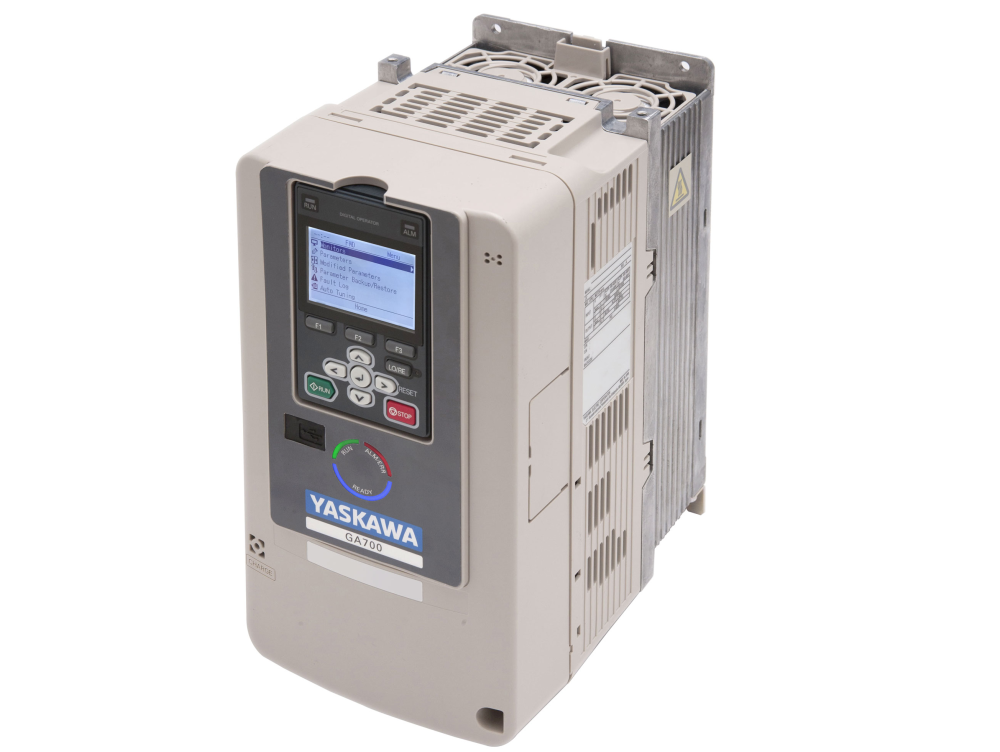
 Français
 English
 Deutsch
 Español
 Italiano
 Português