|
|
| (4 révisions intermédiaires par le même utilisateur non affichées) |
| Ligne 9 : |
Ligne 9 : |
| | }} | | }} |
| | {{Introduction | | {{Introduction |
| − | |Introduction=<translate><u>'''Tools Required'''</u> | + | |Introduction=<translate>15/09/2025 |
| | | | |
| | | | |
| − | Standard hex key set
| + | Moved to Confluance |
| | | | |
| − | Standard spanner set
| |
| | | | |
| − | Dymo label printer
| + | Click [https://stuga-ltd.atlassian.net/wiki/external/Njk2YmQ5ZjRlNmYwNGJlYjk4YmZkMjNhNDc3YzlkYWY Here] |
| − | | |
| − | | |
| − | | |
| − | <u>'''Parts Required'''</u>
| |
| − | | |
| − | | |
| − | C0001152 Camera: HikVision DS-2CD2343G0-I-2.8mm x 3
| |
| − | | |
| − | C0001239 Micro SD Card 32Gb Class 10 x 3
| |
| − | | |
| − | D0007643B Perspex Glazing - Door x 4
| |
| − | | |
| − | D0007644B Machining Centre Door 1 x 2
| |
| − | | |
| − | D0007645B Machining Centre Door 2 x 2
| |
| − | | |
| − | D0007654B Perspex Glazing - Front Guard MkB x 1
| |
| − | | |
| − | H0015747 8mm diameter rod x 1 ( in process of changing to D0015747 x 4 )
| |
| − | | |
| − | M0000036 Sign - Ear Protection x 1
| |
| − | | |
| − | M0000201 T Handle Cabinet Lock x 2
| |
| | | | |
| | <br /></translate> | | <br /></translate> |
| Ligne 46 : |
Ligne 22 : |
| | {{EPI}} | | {{EPI}} |
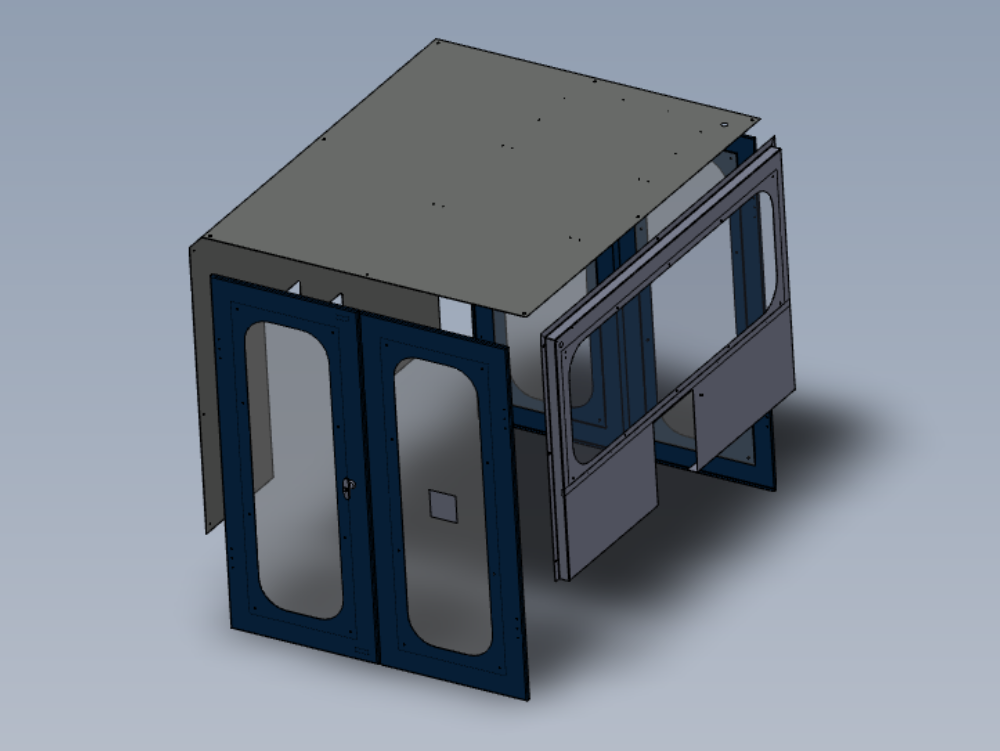
| | {{Tuto Step | | {{Tuto Step |
| − | |Step_Title=<translate>Unless otherwise stated</translate> | + | |Step_Title=<translate></translate> |
| − | |Step_Content=<translate>Use locktite 243 on all fasteners
| |
| − | | |
| − | Use loctite 572 on all threaded pneumatic connection
| |
| − | | |
| − | Pen mark all fasteners to show finalised</translate>
| |
| − | |Step_Picture_00=R0015086_Assemble_Pneumatics_on_to_electrical_cabinet_loctite_243.png
| |
| − | }}
| |
| − | {{Tuto Step
| |
| − | |Step_Title=<translate>Roof Panel fit light</translate>
| |
| − | |Step_Content=<translate>'''<u>Please Provide Fastener details and hole positions for drilled holes to fit lights if required</u>'''
| |
| − | | |
| − | <u>'''Please Provide photos of this step'''</u>
| |
| − | | |
| − | Fit Pre assembled lights to roof panel
| |
| − | | |
| − | | |
| − | Ensure nyloc nuts are used to back of fixings on light assemblies
| |
| − | | |
| − | | |
| − | Fit cable tie bases
| |
| − | | |
| − | | |
| − | Attach Cables from lights to tie bases</translate>
| |
| − | |Step_Picture_00=R0015321_Bench_Assemble_Guards_and_Doors_Screenshot_2023-11-02_075436.png
| |
| − | |Step_Picture_01=ZX5_Production_R0015122_Module_A_to_R0015139_Module_B_alignment_photorequired.png
| |
| − | }}
| |
| − | {{Tuto Step
| |
| − | |Step_Title=<translate>Roof panel fit beacon</translate>
| |
| − | |Step_Content=<translate><u>'''Please Provide photos of this step'''</u>
| |
| − | | |
| − | | |
| − | Fit Beacon assembly to roof</translate>
| |
| − | |Step_Picture_00=R0015321_Bench_Assemble_Guards_and_Doors_Screenshot_2023-11-02_075436.png
| |
| − | |Step_Picture_01=ZX5_Production_R0015122_Module_A_to_R0015139_Module_B_alignment_photorequired.png
| |
| − | }}
| |
| − | {{Tuto Step
| |
| − | |Step_Title=<translate>Roof panel fit Stuga sticker</translate>
| |
| − | |Step_Content=<translate><u>'''Please Provide photos of this step'''</u>
| |
| − | | |
| − | | |
| − | Fit Large clear Stuga sticker to top face of roof. Please ensure sticker is applied wet, so no air bubbles are present once fitted
| |
| − | | |
| − | | |
| − | fit central and facing infeed</translate>
| |
| − | |Step_Picture_00=R0015321_Bench_Assemble_Guards_and_Doors_Screenshot_2023-11-02_075436.png
| |
| − | |Step_Picture_01=ZX5_Production_R0015122_Module_A_to_R0015139_Module_B_alignment_photorequired.png
| |
| − | }}
| |
| − | {{Tuto Step
| |
| − | |Step_Title=<translate>Front Panel Upper Fit screen</translate>
| |
| − | |Step_Content=<translate><u>'''Please Provide photos of this step'''</u>
| |
| − | | |
| − | | |
| − | Fit screen to front panel
| |
| − | | |
| − | | |
| − | Use M6 x 20 socket caps, M6 penny washers, M6 A Form washers and M6 nyloc nuts to fix
| |
| − | | |
| − | | |
| − | Ecr raised 11/12/23 to amend hole position on screen D0007654B Perspex Glazing - Front Guard MkBto allow fitment
| |
| − | | |
| − | | |
| − | Holes require slotting for time being until ecr is actioned</translate>
| |
| − | |Step_Picture_00=R0015321_Bench_Assemble_Guards_and_Doors_Screenshot_2023-11-02_081657.png
| |
| − | |Step_Picture_01=ZX5_Production_R0015122_Module_A_to_R0015139_Module_B_alignment_photorequired.png
| |
| − | }}
| |
| − | {{Tuto Step
| |
| − | |Step_Title=<translate>Front Panel Upper fit camera</translate>
| |
| − | |Step_Content=<translate><u>'''Please Provide photos of this step'''</u>
| |
| − | | |
| − | Fit C0001239 Micro SD Card 32Gb Class 10 x 1 to camera before mounting
| |
| − | | |
| − | Fit camera to top guard using 3 off M4 x 12 socket caps , and back off with M4 dome nuts and M4 A form washers
| |
| − | | |
| − | Ensure camera is fitted the correct orientation. Camera will have a 'UP' marked on body. This must be at the top
| |
| − | | |
| − | | |
| − | Camera must be fitted to top corner of front guard closest to Module F saw unit</translate>
| |
| − | |Step_Picture_00=R0015321_Bench_Assemble_Guards_and_Doors_Screenshot_2023-11-02_081657.png
| |
| − | |Step_Picture_01=ZX5_Production_R0015122_Module_A_to_R0015139_Module_B_alignment_photorequired.png
| |
| − | }}
| |
| − | {{Tuto Step
| |
| − | |Step_Title=<translate>Front Panel upper Fit Sticker</translate>
| |
| − | |Step_Content=<translate><u>'''Please Provide photos of this step'''</u>
| |
| − | | |
| − | | |
| − | Fit small clear Stuga sticker to front panel
| |
| − | | |
| − | | |
| − | Ensure sticker is fitted wet , so no air bubbles are present once fitted</translate>
| |
| − | |Step_Picture_00=R0015321_Bench_Assemble_Guards_and_Doors_Screenshot_2023-11-02_081657.png
| |
| − | |Step_Picture_01=ZX5_Production_R0015122_Module_A_to_R0015139_Module_B_alignment_photorequired.png
| |
| − | }}
| |
| − | {{Tuto Step
| |
| − | |Step_Title=<translate>Rear Upper Panel Fit Camera</translate>
| |
| − | |Step_Content=<translate><u>'''Please Provide photos of this step'''</u>
| |
| − | | |
| − | Fit C0001239 Micro SD Card 32Gb Class 10 x 1 to camera before mounting
| |
| − | | |
| − | | |
| − | Fit camera to rear panel using 3 off M4 x 12 socket caps , and back off with M4 dome nuts and M4 A form washers
| |
| − | | |
| − | | |
| − | Ensure camera is fitted the correct orientation. Camera will have a 'UP' marked on body. This must be at the top</translate>
| |
| − | |Step_Picture_00=R0015321_Bench_Assemble_Guards_and_Doors_Screenshot_2023-11-02_081909.png
| |
| − | |Step_Picture_01=ZX5_Production_R0015122_Module_A_to_R0015139_Module_B_alignment_photorequired.png
| |
| − | }}
| |
| − | {{Tuto Step
| |
| − | |Step_Title=<translate>Rear upper Panel Fit sticker</translate>
| |
| − | |Step_Content=<translate><u>'''Please Provide photos of this step'''</u>
| |
| − | | |
| − | | |
| − | Fit large Clear Stuga sticker . Ensure sticker is fitted wet to avoid air bubbles once fitted</translate>
| |
| − | |Step_Picture_00=R0015321_Bench_Assemble_Guards_and_Doors_Screenshot_2023-11-02_081909.png
| |
| − | |Step_Picture_01=ZX5_Production_R0015122_Module_A_to_R0015139_Module_B_alignment_photorequired.png
| |
| − | }}
| |
| − | {{Tuto Step
| |
| − | |Step_Title=<translate>Door assembly Fit Handles</translate>
| |
| − | |Step_Content=<translate>Fit door handles to doors, ensure orientated as shown, With striker facing centre of door
| |
| − | | |
| − | | |
| − | <u>'''Ensure Loctite 243 is used on all securing nuts and Securing bolts. Remove all pre fitted bolts and add adhesive'''</u>
| |
| − | | |
| − | | |
| − | Once tightened sufficiently check that rotation of handles are smooth
| |
| − | | |
| − | | |
| − | Fit 2 off door bars to each door , Adhesive is vital on locking fasteners for these rods
| |
| − | | |
| − | | |
| − | Ensure chauffeured end is present and orientated correctly</translate>
| |
| − | |Step_Picture_00=R0015321_Bench_Assemble_Guards_and_Doors_Screenshot_2023-11-02_082100.png
| |
| − | |Step_Picture_01=R0015321_Bench_Assemble_Guards_and_Doors_Screenshot_2023-12-18_113020.png
| |
| − | |Step_Picture_01_annotation={"version":"2.4.6","objects":[{"type":"image","version":"2.4.6","originX":"left","originY":"top","left":0,"top":0,"width":304,"height":467,"fill":"rgb(0,0,0)","stroke":null,"strokeWidth":0,"strokeDashArray":null,"strokeLineCap":"butt","strokeDashOffset":0,"strokeLineJoin":"miter","strokeMiterLimit":4,"scaleX":1.97,"scaleY":1.97,"angle":0,"flipX":false,"flipY":false,"opacity":1,"shadow":null,"visible":true,"clipTo":null,"backgroundColor":"","fillRule":"nonzero","paintFirst":"fill","globalCompositeOperation":"source-over","transformMatrix":null,"skewX":0,"skewY":0,"crossOrigin":"","cropX":0,"cropY":0,"src":"https://stuga.dokit.app/images/9/9a/R0015321_Bench_Assemble_Guards_and_Doors_Screenshot_2023-12-18_113020.png","filters":[]},{"type":"wfellipse","version":"2.4.6","originX":"center","originY":"center","left":361,"top":351,"width":200,"height":200,"fill":"rgba(255,0,0,0)","stroke":"#FF0000","strokeWidth":2,"strokeDashArray":null,"strokeLineCap":"butt","strokeDashOffset":0,"strokeLineJoin":"miter","strokeMiterLimit":4,"scaleX":1,"scaleY":1,"angle":0,"flipX":false,"flipY":false,"opacity":1,"shadow":null,"visible":true,"clipTo":null,"backgroundColor":"","fillRule":"nonzero","paintFirst":"fill","globalCompositeOperation":"source-over","transformMatrix":null,"skewX":0,"skewY":0,"rx":100,"ry":100}],"height":922,"width":600}
| |
| − | |Step_Picture_02=R0015321_Bench_Assemble_Guards_and_Doors_Screenshot_2023-12-18_113409.png
| |
| − | |Step_Picture_03=R0015321_Bench_Assemble_Guards_and_Doors_Screenshot_2023-12-18_114119.png
| |
| − | |Step_Picture_04=R0015321_Bench_Assemble_Guards_and_Doors_Screenshot_2023-12-18_114146.png
| |
| − | }}
| |
| − | {{Tuto Step
| |
| − | |Step_Title=<translate>Door Assembly Fit screens</translate>
| |
| − | |Step_Content=<translate>Fit screens to doors</translate>
| |
| − | |Step_Picture_00=R0015321_Bench_Assemble_Guards_and_Doors_Screenshot_2023-11-02_082100.png
| |
| − | }}
| |
| − | {{Tuto Step
| |
| − | |Step_Title=<translate>Door Assembly Fit locking pins</translate>
| |
| − | |Step_Content=<translate>Fit locking pins to doors</translate>
| |
| − | |Step_Picture_00=R0015321_Bench_Assemble_Guards_and_Doors_Screenshot_2023-11-02_082100.png
| |
| − | }}
| |
| − | {{Tuto Step
| |
| − | |Step_Title=<translate>Door Assembly Fit stickers</translate>
| |
| | |Step_Content=<translate></translate> | | |Step_Content=<translate></translate> |
| − | |Step_Picture_00=R0015321_Bench_Assemble_Guards_and_Doors_Screenshot_2023-11-02_082100.png
| |
| | }} | | }} |
| | {{Notes}} | | {{Notes}} |

 Français
 English
 Deutsch
 Español
 Italiano
 Português