|
|
| (6 révisions intermédiaires par le même utilisateur non affichées) |
| Ligne 1 : |
Ligne 1 : |
| | {{Tuto Details | | {{Tuto Details |
| | + | |Main_Picture=WinMulti_Setup_File_-_sawgrip_Image_2.png |
| | + | |Main_Picture_annotation={"version":"2.4.6","objects":[{"type":"image","version":"2.4.6","originX":"left","originY":"top","left":87,"top":93,"width":643,"height":100,"fill":"rgb(0,0,0)","stroke":null,"strokeWidth":0,"strokeDashArray":null,"strokeLineCap":"butt","strokeDashOffset":0,"strokeLineJoin":"miter","strokeMiterLimit":4,"scaleX":2.86,"scaleY":2.86,"angle":0,"flipX":false,"flipY":false,"opacity":1,"shadow":null,"visible":true,"clipTo":null,"backgroundColor":"","fillRule":"nonzero","paintFirst":"fill","globalCompositeOperation":"source-over","transformMatrix":null,"skewX":0,"skewY":0,"crossOrigin":"","cropX":0,"cropY":0,"src":"https://stuga.dokit.app/images/3/30/WinMulti_Setup_File_-_sawgrip_Image_2.png","filters":[]}],"height":450,"width":600} |
| | |Description=<translate>Purpose and specification of the sawgrip.saw file</translate> | | |Description=<translate>Purpose and specification of the sawgrip.saw file</translate> |
| | |Categories=Software | | |Categories=Software |
| | |Tags=sawgrip, sawgrip.saw | | |Tags=sawgrip, sawgrip.saw |
| | }} | | }} |
| − | <translate>= Original setup = | + | <translate>28/10/2025 Moved to Confluence |
| − | On early ZX5s the saw infeed backfence consisted of a number of short fences dotted along the length of the roller bed lift.
| |
| | | | |
| − | Following installation, the machine was prone to mis-grips on some profile lengths, particularly if they were slightly bowed. This was traced to offcut lengths where the grip holes were a distance away from the nearest backfence. This allowed the profile to bow either in front or behind the fence position, therefore the holes did not line up to the gripper pins. {{#annotatedImageLight:Fichier:WinMulti Setup File - sawgrip Image 1.png|0=619px|hash=|jsondata=|mediaClass=Image|type=frameless|align=center|src=https://stuga.dokit.app/images/9/9b/WinMulti_Setup_File_-_sawgrip_Image_1.png|href=./Fichier:WinMulti Setup File - sawgrip Image 1.png|resource=./Fichier:WinMulti Setup File - sawgrip Image 1.png|caption=|size=619px}}
| + | [https://stuga-ltd.atlassian.net/wiki/external/M2RjNGE4NGUyNWU5NGZhZWIyYjcwMGYxNGM5ZjNlMzQ Click here]</translate> |
| − | | |
| − | | |
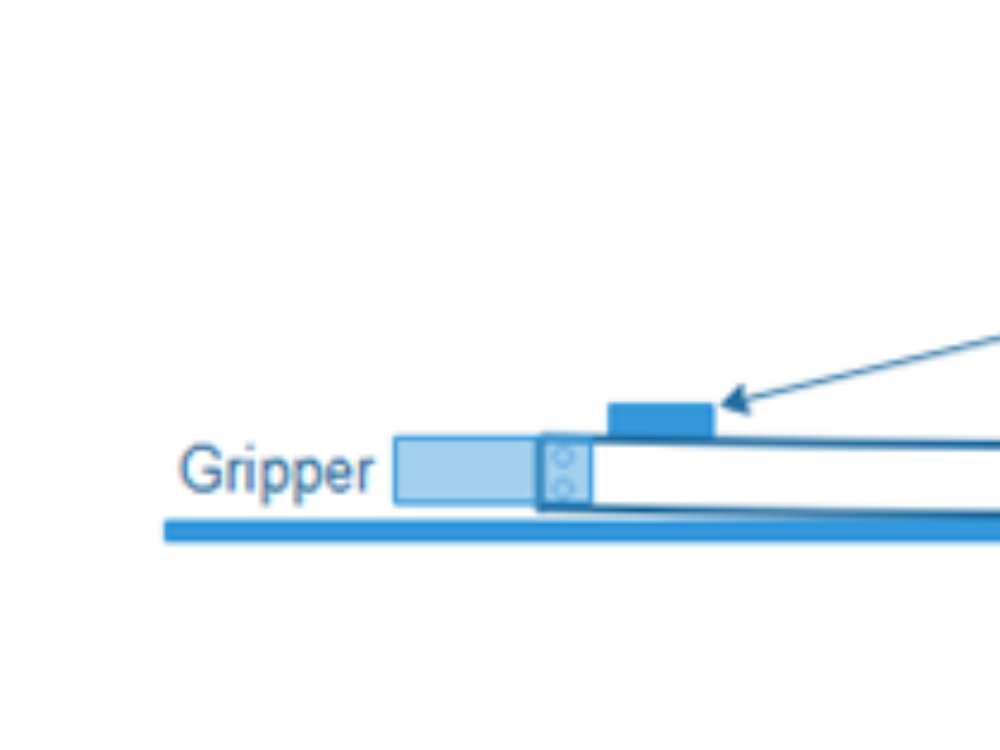
| − | To overcome this, the software was modified to push the profile to the next nearest backfence, thus straightening the profile between the channel bar and backfence and aligning the grip holes:{{#annotatedImageLight:Fichier:WinMulti Setup File - sawgrip Image 2.png|0=643px|hash=|jsondata=|mediaClass=Image|type=frameless|align=center|src=https://stuga.dokit.app/images/3/30/WinMulti_Setup_File_-_sawgrip_Image_2.png|href=./Fichier:WinMulti Setup File - sawgrip Image 2.png|resource=./Fichier:WinMulti Setup File - sawgrip Image 2.png|caption=|size=643px}}
| |
| − | | |
| − | | |
| − | The positional information for the backfence position was hard-coded into the back end software.
| |
| − | | |
| − | == Enhanced setup (Z066+) ==
| |
| − | To improve the situation, the backfences in later models have been extended to cover more area, thus reducing the need for the pusher to move forwards, making the positions that are “hard coded” redundant.
| |
| − | | |
| − | The latest software (6.3.62.0+) has a feature to override the default positions and allow user generated length dependant positions to be stored in a file sawgrip.saw. This file follows exactly the same format and structure as the sloadpos.saw file (used for the unloading gripper position on the MH side). NOTE: the “sawLoadDiff” is taken care of internally in the program.
| |
| − | | |
| − | == Sawgrip.saw ==
| |
| − | Consists of a list of lookup lengths, followed by a position the gripper should go to.
| |
| − | | |
| − | '''Example''':<syntaxhighlight>
| |
| − | 0,L1250
| |
| − | 3000,L1260
| |
| − | 6000,7200
| |
| − | </syntaxhighlight>
| |
| − | | |
| − | | |
| − | The software looks down the list line by line to find the closest length '''''less than or equal to''''' the bar length in the fist field. The position is then referenced in the second field.
| |
| − | {| class="wikitable" border="1" cellspacing="0" cellpadding="0"
| |
| − | | width="151" valign="top" |'''Type'''
| |
| − | | width="350" valign="top" |'''Calculation'''
| |
| − | |-
| |
| − | | width="151" valign="top" |'''numerical'''
| |
| − | | width="350" valign="top" |Move to the position specified
| |
| − | |-
| |
| − | | width="151" valign="top" |'''L (Upper Case)'''
| |
| − | | width="350" valign="top" |Add the bar length on to the number following the L
| |
| − | |-
| |
| − | | width="151" valign="top" |'''L (Lower Case'''
| |
| − | | width="350" valign="top" |Add ''half'' the bar length on to the number following the l
| |
| − | |}
| |
| − | In the above example
| |
| − | {| class="wikitable" border="1" cellspacing="0" cellpadding="0"
| |
| − | | width="151" valign="top" |'''Bar Length'''
| |
| − | | width="132" valign="top" |'''Gripper Position'''
| |
| − | |-
| |
| − | | width="151" valign="top" |'''700'''
| |
| − | | width="132" valign="top" |1950
| |
| − | |-
| |
| − | | width="151" valign="top" |'''2900'''
| |
| − | | width="132" valign="top" |4150
| |
| − | |-
| |
| − | | width="151" valign="top" |'''3100'''
| |
| − | | width="132" valign="top" |4360
| |
| − | |-
| |
| − | | width="151" valign="top" |'''5900'''
| |
| − | | width="132" valign="top" |7160
| |
| − | |-
| |
| − | | width="151" valign="top" |'''6000'''
| |
| − | | width="132" valign="top" |7200
| |
| − | |-
| |
| − | | width="151" valign="top" |'''6500'''
| |
| − | | width="132" valign="top" |7200
| |
| − | |}
| |
| − | Use the sloadpos as a starting point because this file is used to drop off the profile.</translate>
| |
| | {{PageLang | | {{PageLang |
| | + | |Language=en |
| | |SourceLanguage=none | | |SourceLanguage=none |
| | |IsTranslation=0 | | |IsTranslation=0 |
| − | |Language=en
| |
| | }} | | }} |
| | {{AddComments}} | | {{AddComments}} |

 Français
 English
 Deutsch
 Español
 Italiano
 Português