
| [version en cours de rédaction] | [version en cours de rédaction] |
(Contenu remplacé par « {{Tuto Details |Main_Picture=Create_a_TwinCAT_Project_from_Scratch_Annotation_2019-11-20_145941.jpg |Main_Picture_annotation={"version":"2.4.6","objects":[{"type":"ima... ») (Balise : Remplacé) |
|||
| (38 révisions intermédiaires par 2 utilisateurs non affichées) | |||
| Ligne 1 : | Ligne 1 : | ||
{{Tuto Details | {{Tuto Details | ||
| + | |Main_Picture=Create_a_TwinCAT_Project_from_Scratch_Annotation_2019-11-20_145941.jpg | ||
| + | |Main_Picture_annotation={"version":"2.4.6","objects":[{"type":"image","version":"2.4.6","originX":"left","originY":"top","left":1,"top":-2,"width":390,"height":366,"fill":"rgb(0,0,0)","stroke":null,"strokeWidth":0,"strokeDashArray":null,"strokeLineCap":"butt","strokeDashOffset":0,"strokeLineJoin":"miter","strokeMiterLimit":4,"scaleX":1.57,"scaleY":1.57,"angle":0,"flipX":false,"flipY":false,"opacity":1,"shadow":null,"visible":true,"clipTo":null,"backgroundColor":"","fillRule":"nonzero","paintFirst":"fill","globalCompositeOperation":"source-over","transformMatrix":null,"skewX":0,"skewY":0,"crossOrigin":"","cropX":0,"cropY":0,"src":"https://stuga.dokit.app/images/9/95/Create_a_TwinCAT_Project_from_Scratch_Annotation_2019-11-20_145941.jpg","filters":[]}],"height":450.37531276063385,"width":600} | ||
|Description=<translate>How to create a new TwinCAT3 Project from scratch</translate> | |Description=<translate>How to create a new TwinCAT3 Project from scratch</translate> | ||
|Categories=Software | |Categories=Software | ||
| Ligne 8 : | Ligne 10 : | ||
}} | }} | ||
{{Introduction | {{Introduction | ||
| − | |Introduction=<translate></translate> | + | |Introduction=<translate>05/08/25 Converted to confluence |
| + | |||
| + | See [https://stuga-ltd.atlassian.net/wiki/external/N2E0YjlkNzUyNzc5NDY1NThiOTY1NzcxYmNmNmJkNTU COM01-04 Create TwinCAT Project from Scratch on Virtual Machine]</translate> | ||
| + | |class="wikitable" | ||
}} | }} | ||
{{Materials}} | {{Materials}} | ||
{{EPI}} | {{EPI}} | ||
{{Tuto Step | {{Tuto Step | ||
| − | |Step_Title=<translate> | + | |Step_Title=<translate></translate> |
| − | |Step_Content=<translate | + | |Step_Content=<translate></translate> |
| − | |||
| − | |||
| − | |||
| − | |||
| − | |||
| − | |||
| − | |||
| − | |||
| − | |||
| − | |||
| − | |||
| − | |||
| − | |||
| − | |||
| − | |||
| − | |||
| − | |||
| − | |||
| − | |||
| − | |||
| − | |||
| − | |||
| − | |||
| − | |||
| − | |||
| − | |||
| − | |||
| − | |||
| − | |||
| − | |||
| − | |||
| − | |||
| − | |||
| − | |||
| − | |||
| − | |||
| − | |||
| − | |||
| − | |||
| − | |||
| − | |||
| − | |||
| − | |||
| − | |||
| − | |||
| − | |||
| − | |||
}} | }} | ||
{{Notes}} | {{Notes}} | ||
Version actuelle datée du 6 août 2025 à 16:18
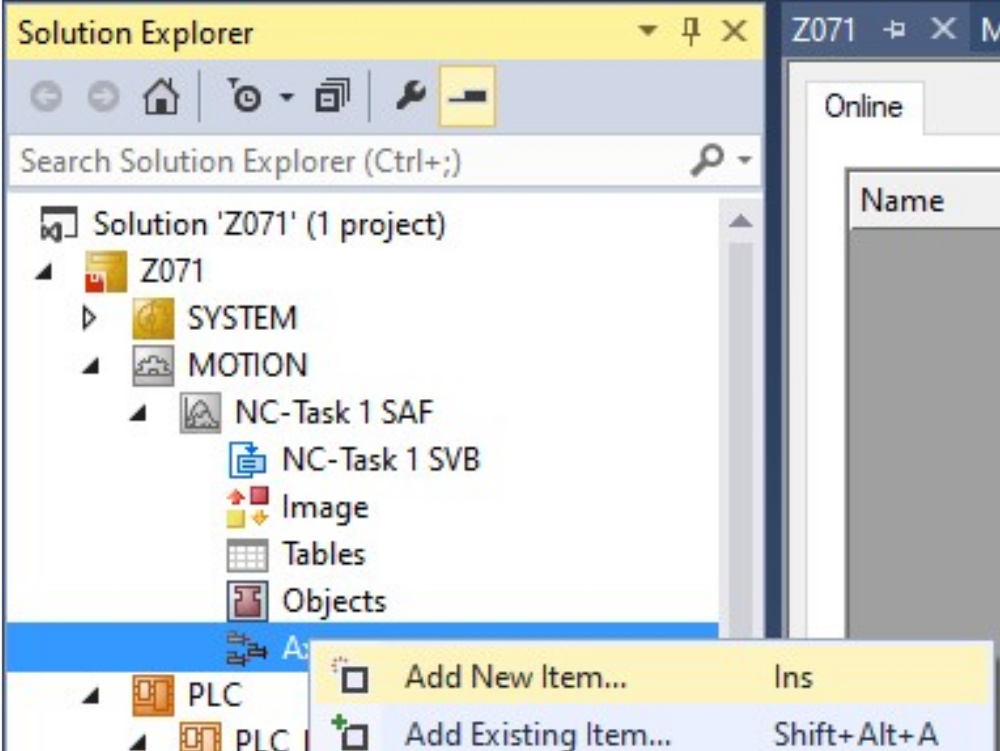
How to create a new TwinCAT3 Project from scratch

Difficulté
Difficile
Durée
4 heure(s)
Sommaire
Introduction
05/08/25 Converted to confluence
See COM01-04 Create TwinCAT Project from Scratch on Virtual MachineÉtape 1 -
Draft
 Français
 English
 Deutsch
 Español
 Italiano
 Português